
After Uploading Bulk Objectives, you can bulk align your Objectives by following the steps below.
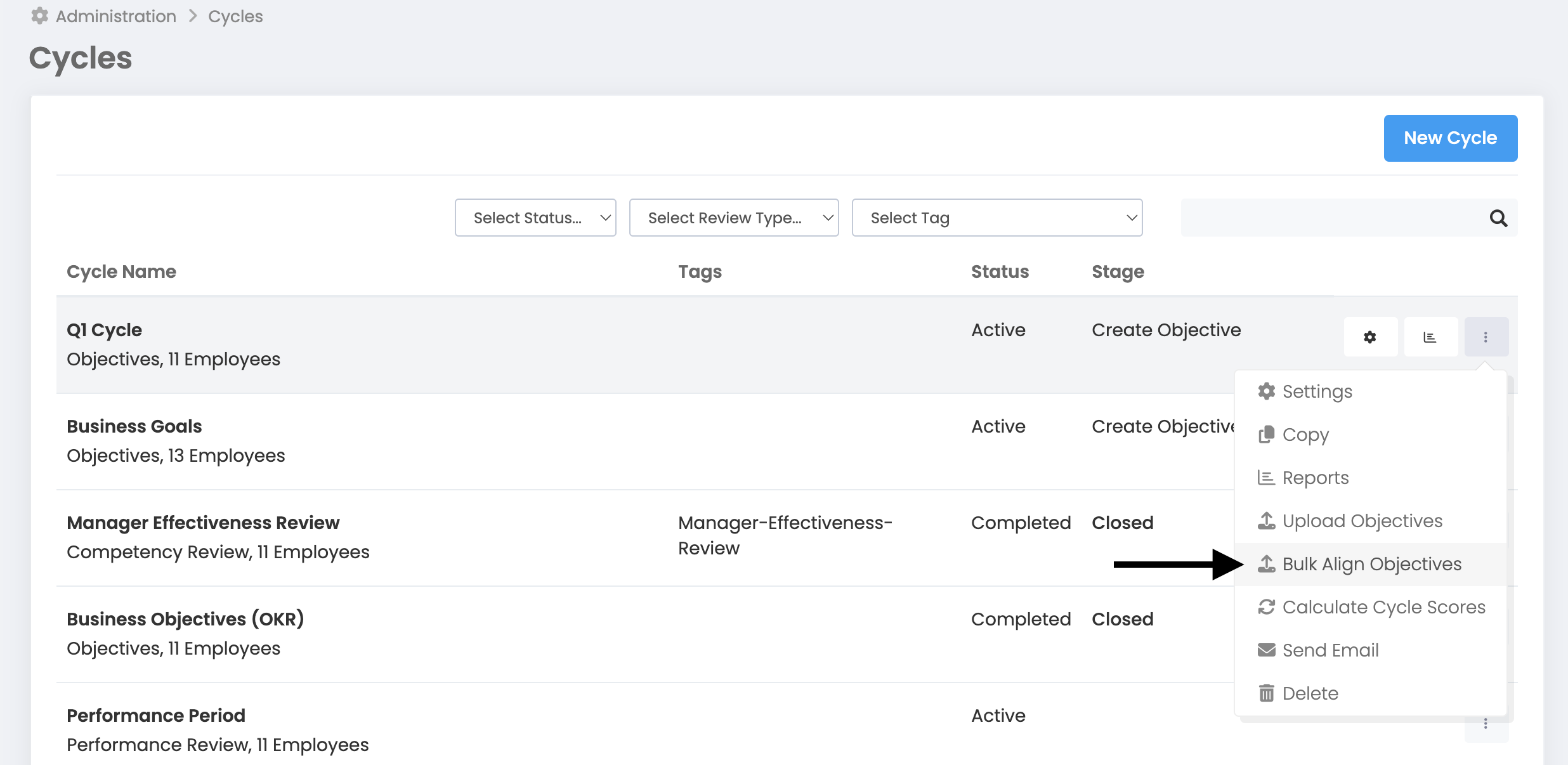
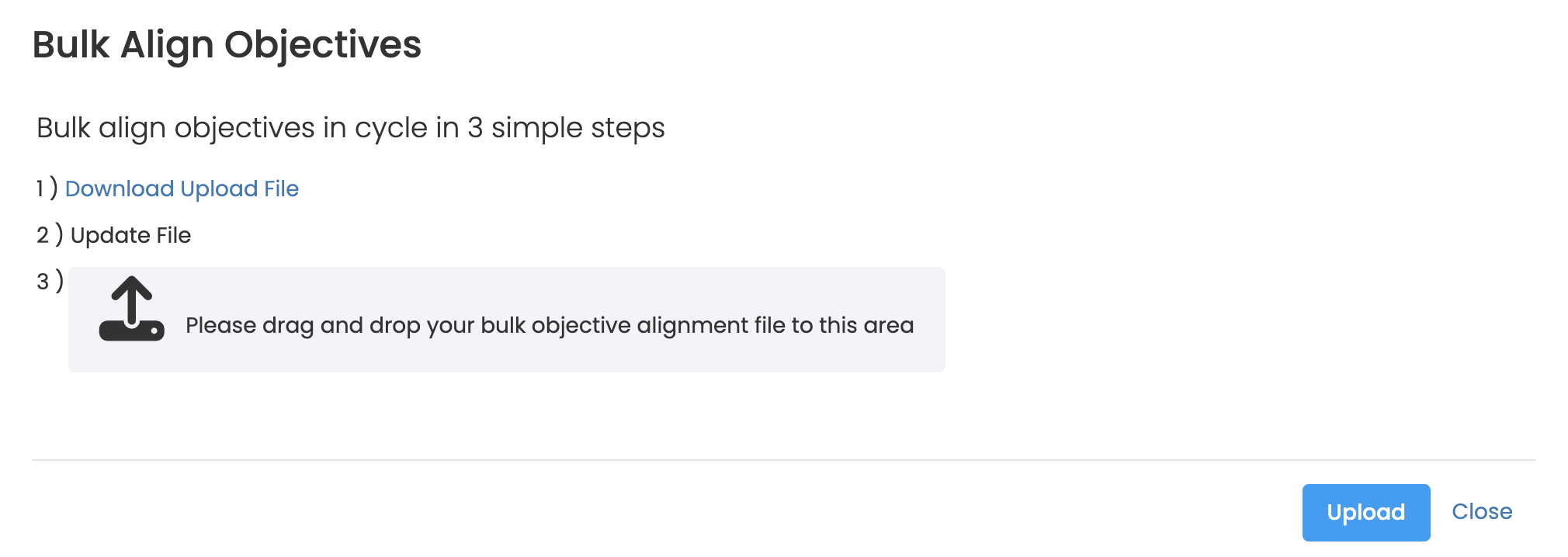
More > Management > Cycle Management > Related Business Objectives 3 dots next to the period > Bulk Objective Alignment > Pop-up > Download the Loading File and first write the ID of our parent objective in the column to the right of the objectives we want to align. We add the file we prepared by drag and drop method and press the "Upload" button.
Download Upload File

Upload after filling Excel Files.