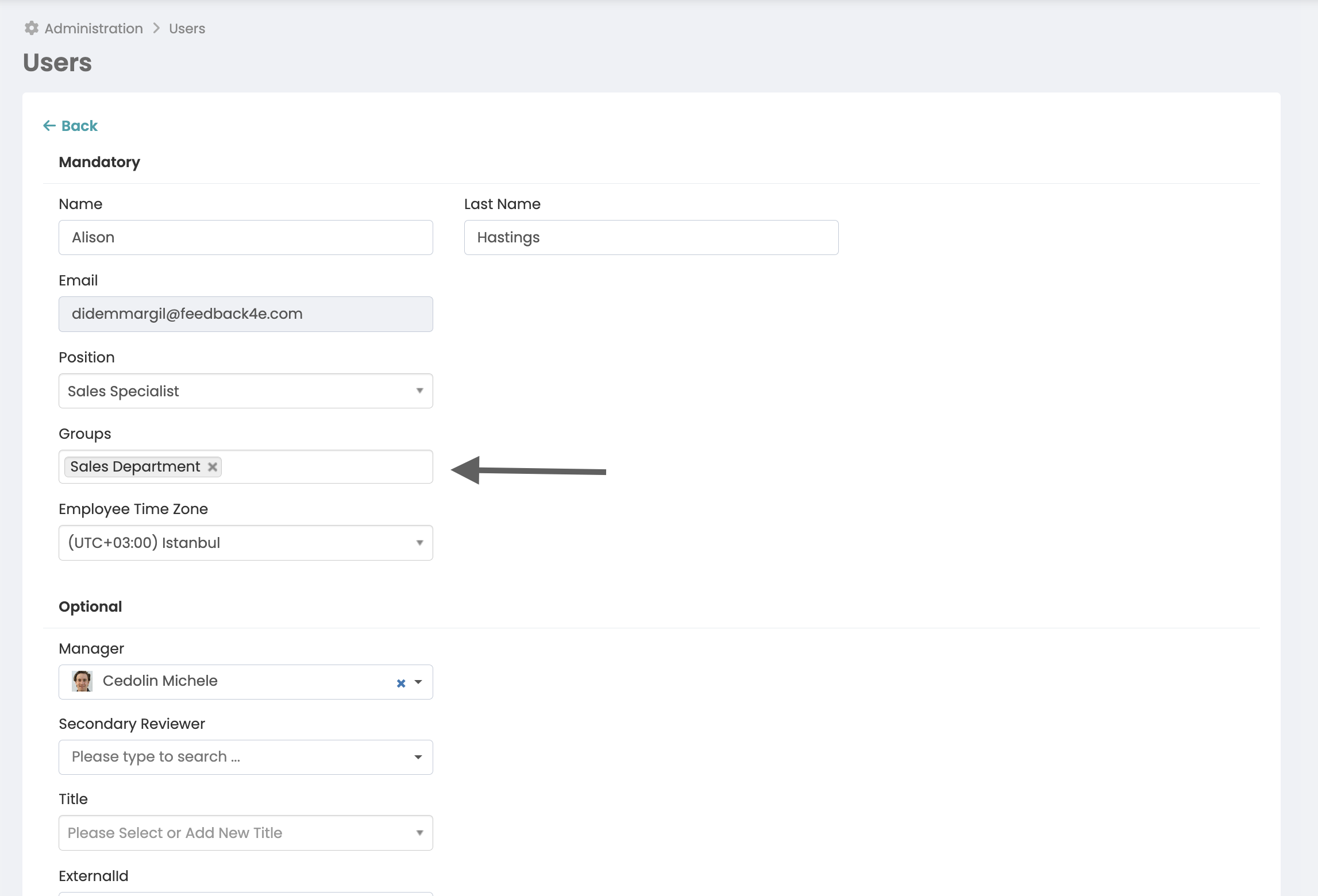
In some cases, you may want a group of employees other than the system admin, such as c-level managers, to be able to create and update company objectives and check-in to company objectives. To do this, you must first create a group for these employees and assign these employees to the group.
More > Administration > Groups
Add a new group, click on the "members of this group can create company targets" option under properties.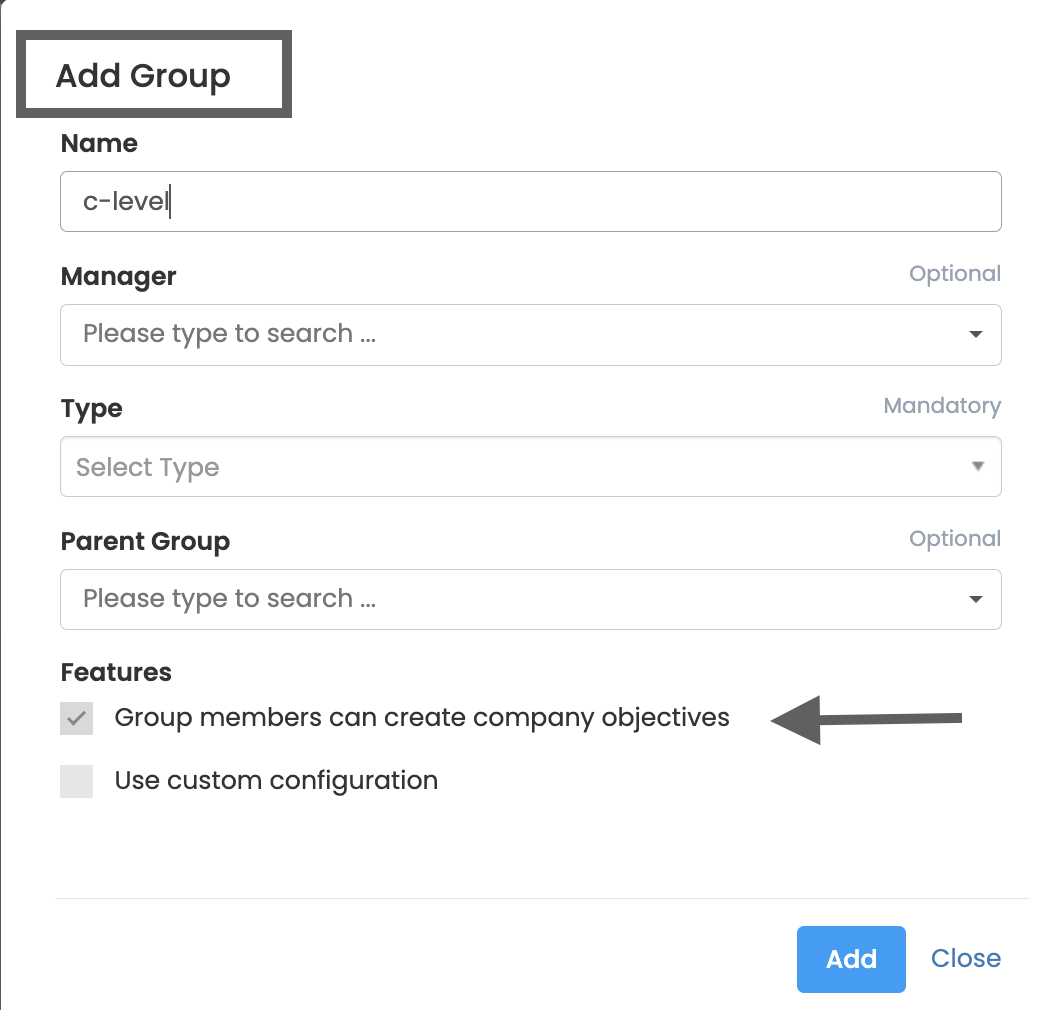
After creating the group, you need to assign employees who will manage company goals to this group. For this
Once on the More > Administration > Employees page, click on find and update employee. Add the new group to the Employee's groups section and click the update button.