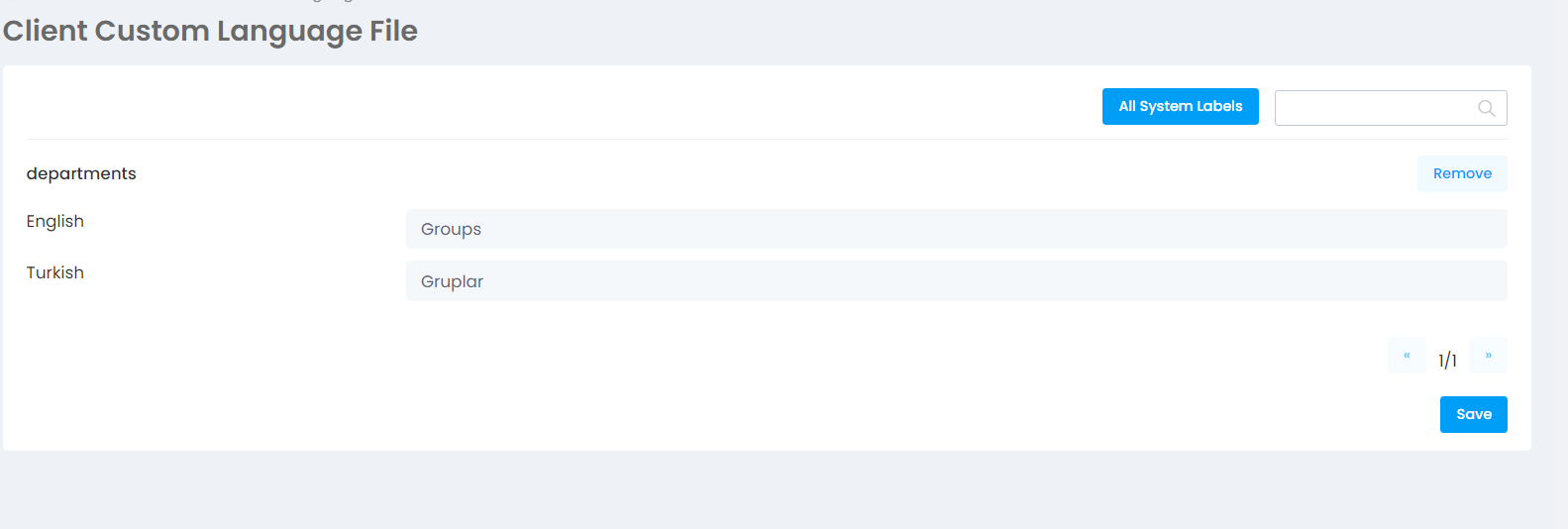
If you want to change the language of the system interface, make sure you are an Enterprise customer. If you are
More > Administration > Settings - Customized Language File
proceed to the page.
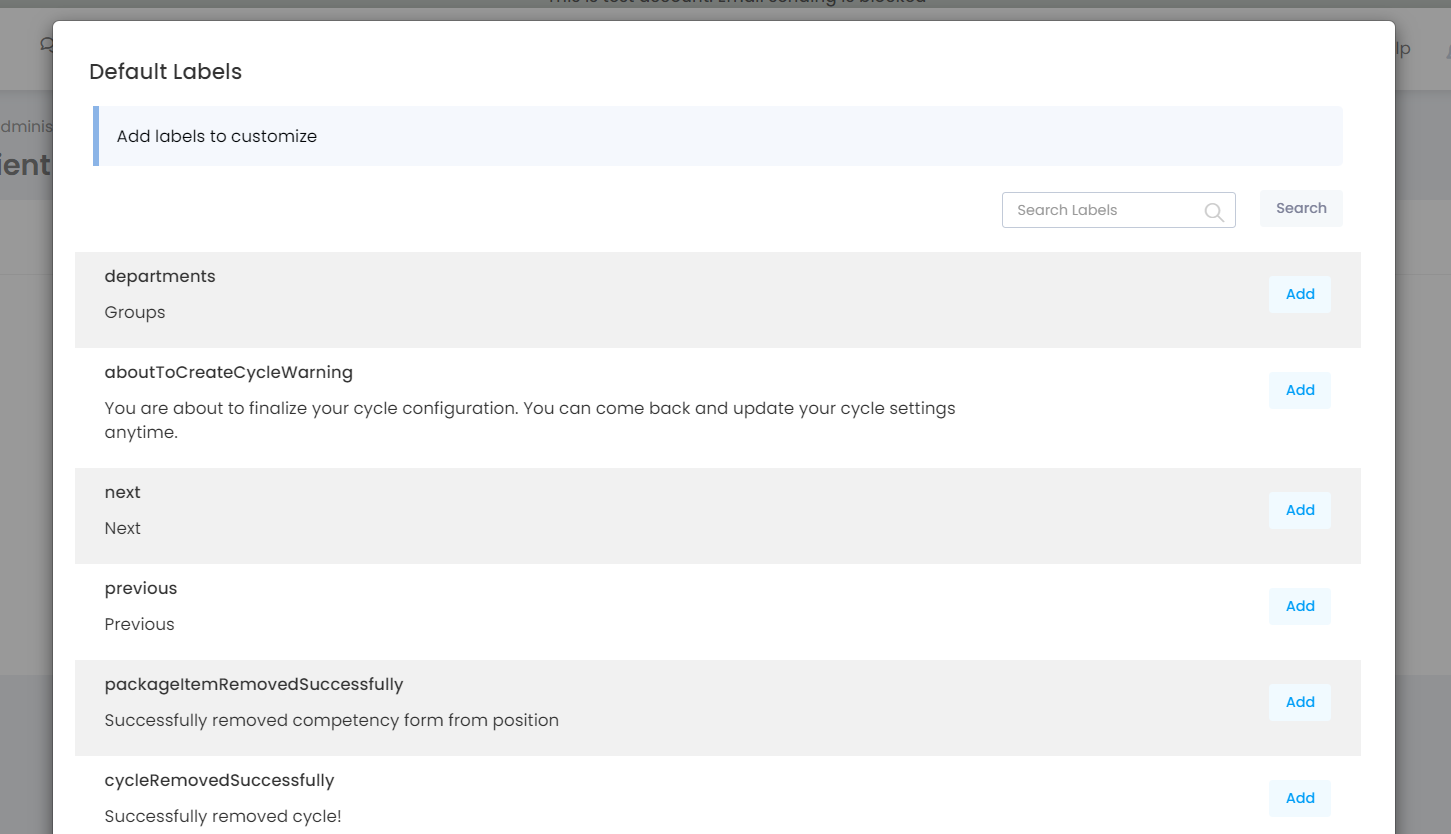
List the labels you want to customize by pressing the "All system labels" button. Search the tags to find the ones you want to customize and hit the add button for each one. Then close the window.
The labels you choose to customize will be listed on the page. Make the necessary language adjustments and press the Save button at the bottom of the page. Log out of your account and log in again. Make sure the tags you customized are active in your account.