
You can transfer employee data to your Feedback4e account by activating KolayIk integration in your account. To activate this integration, you must have an admin account on Feedback4e.
First, create the Convenience integration on the Administration > Integrations > External integrations page as follows.
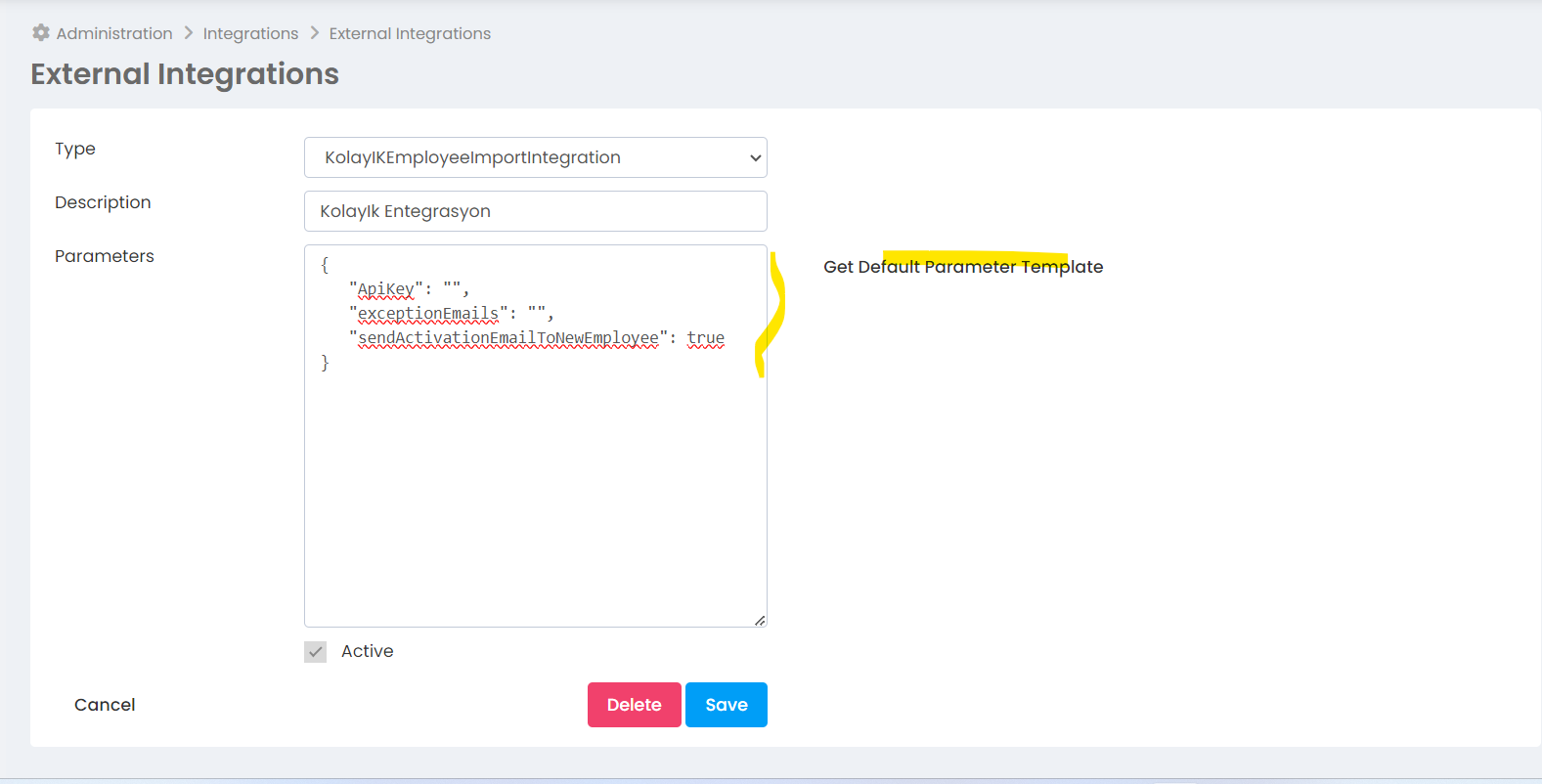
ApiKey It should be obtained from KolayIK panel. (Compulsory)
exceptionEmails Define the email addresses of the users you do not want to import from KolayIk in the parameter, separated by commas. (Optional)
sendActivationEmailToNewEmployee paremter is to automatically send an activation e-mail message to newly defined users in your organization if you are not using SSO. (Optional)
The integration runs every day and takes users from KolayIK and assigns them to background tasks. You can monitor the status of integration data from background tasks. The integration receives both active and deactivated users in KolayIK. Deactivated users are also deactivated by Feedback4e.
Access permission must be obtained for the following APIs in KolatIK.
https://api.kolayik.com/v2/person/bulk-view
https://api.kolayik.com/v2/person/list