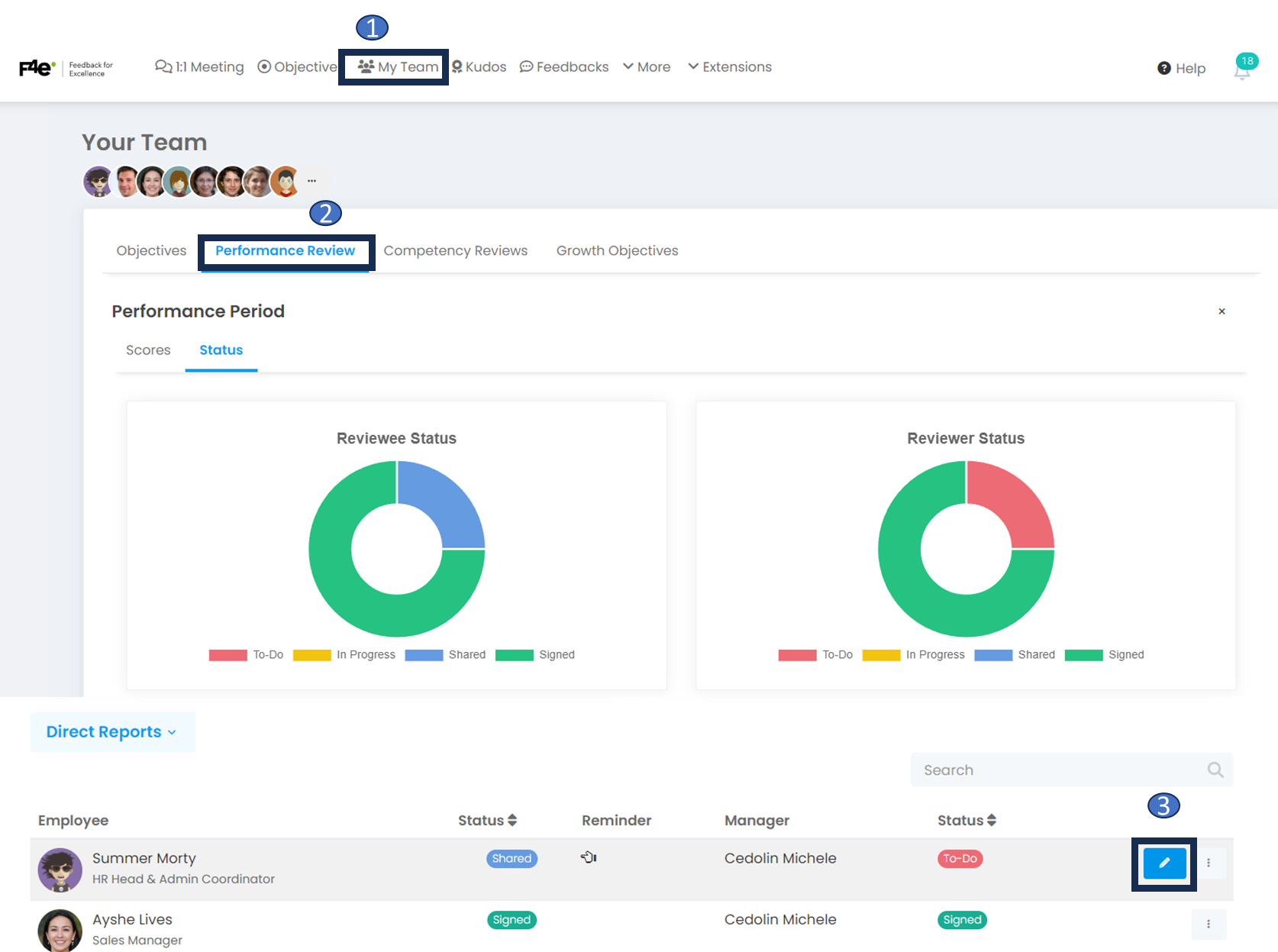
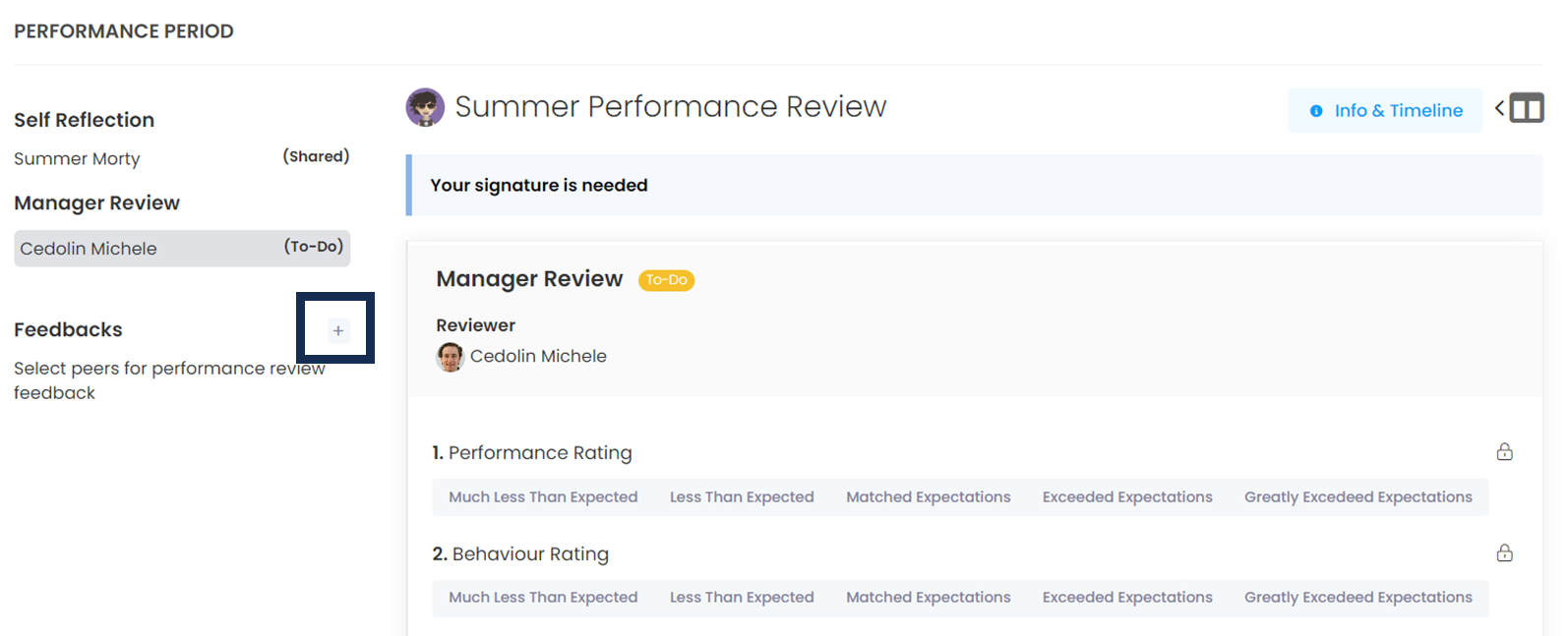
Then click on the + button marked in yellow on the left panel. Here, select the colleagues from whom you would like feedback for your employee. As soon as you press the save button, a feedback request will be sent to your colleagues. Even if you are in the signing process, submitted requests can be answered throughout the term.
After pressing the + button, the 'Select Peer Assessor' screen will appear. Here, you can select the employee you want to evaluate and have them evaluated.
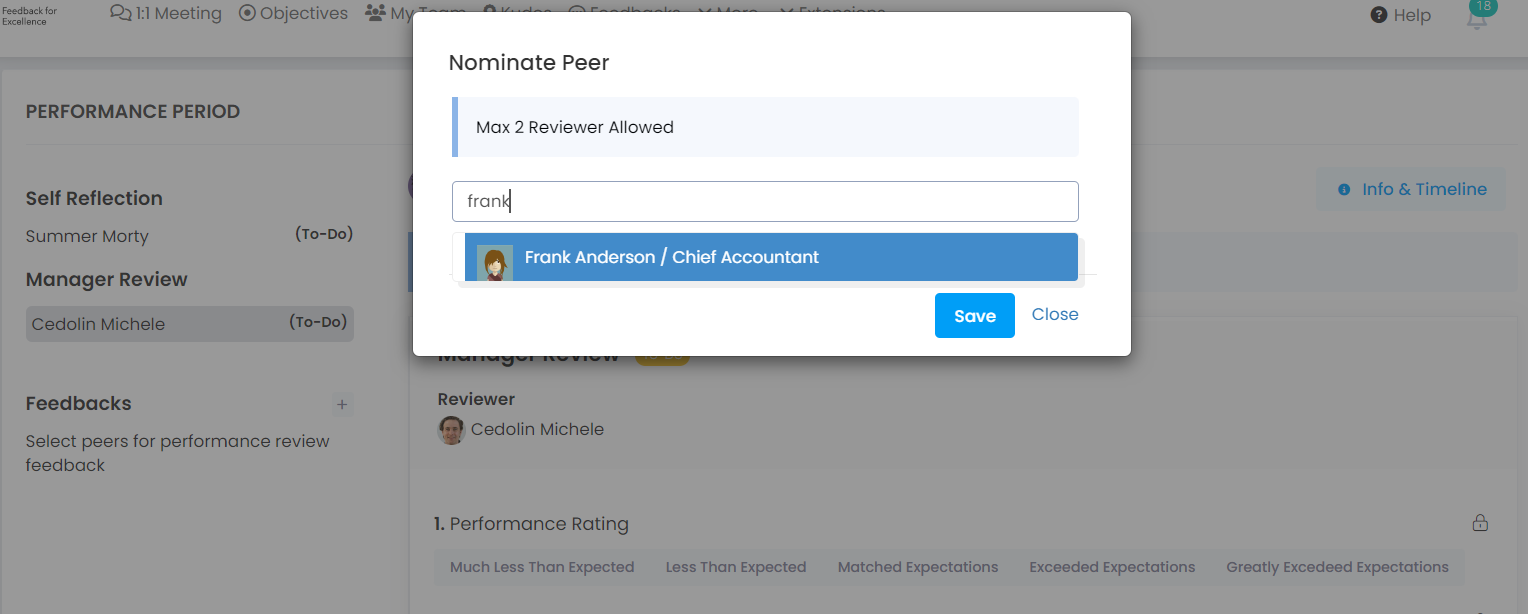
As a manager, we asked for feedback from the employee's peers.
So, where will this evaluation appear to the peers (colleague)?
Once the peer reviewer comes to his/her Home page, he/she will display the "Your peer reviews" section.
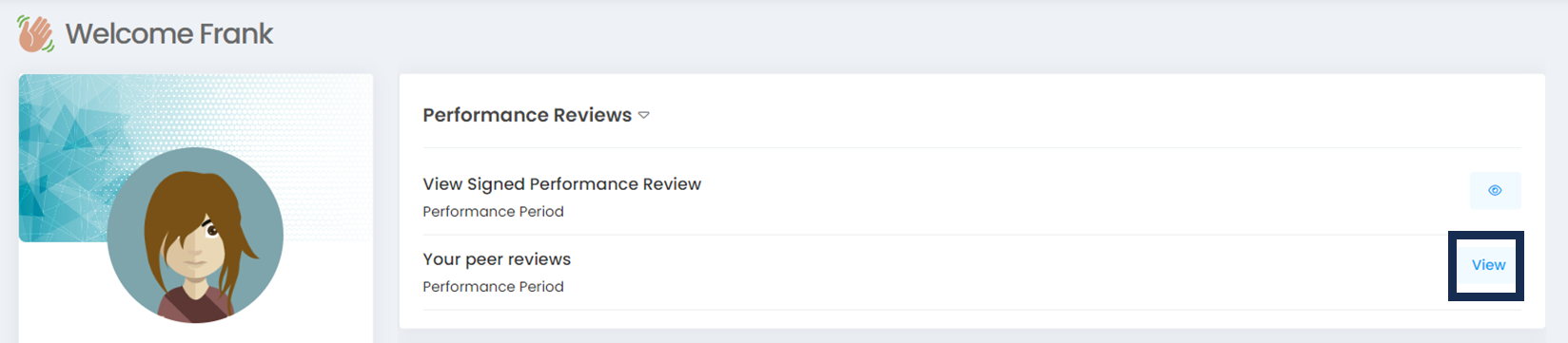
After reaching this part, the equalizer determined by the administrator will be able to evaluate his/her friend with the question determined by the administrator.
How can the manager view the peer evaluation after the peer reviewer has evaluated it?
My Team > Performance Review
Once on this page, select the person you want to evaluate by selecting the period and then you will see the evaluator and answers you chose.
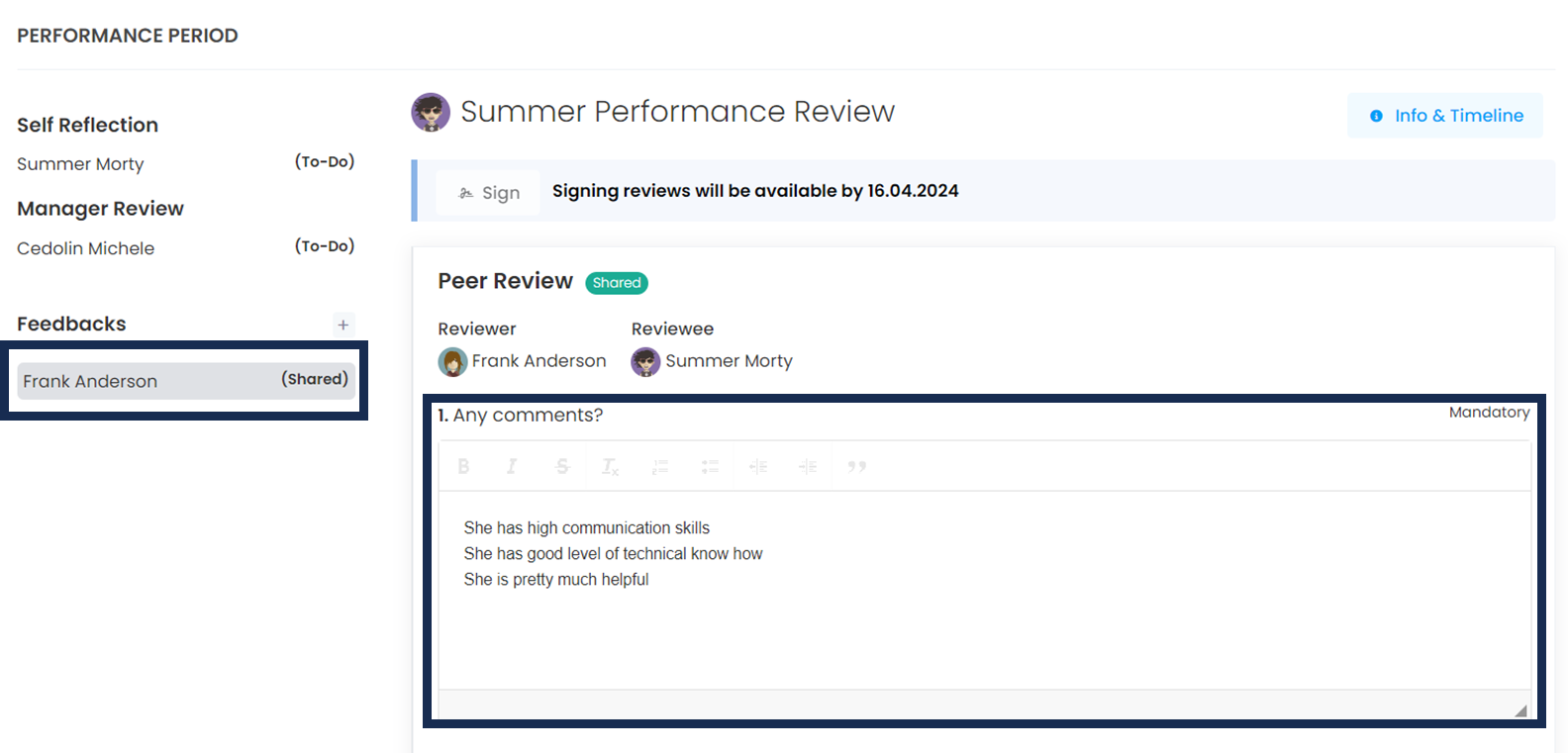
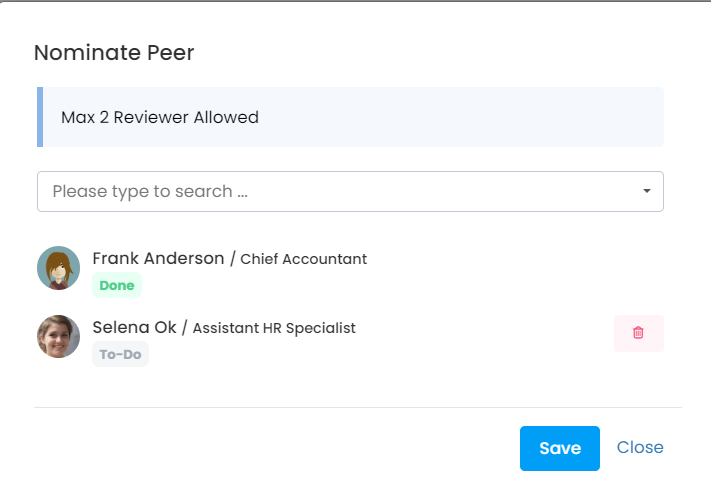
How can the administrator change the evaluator they choose, delete the evaluation, or add another evaluator?
You can withdraw the evaluation by clicking the Replay icon and resubmit it by writing a new question.
You can delete the review by pressing the trash can icon.
You can also select another peer evaluator by pressing "Write to search...".