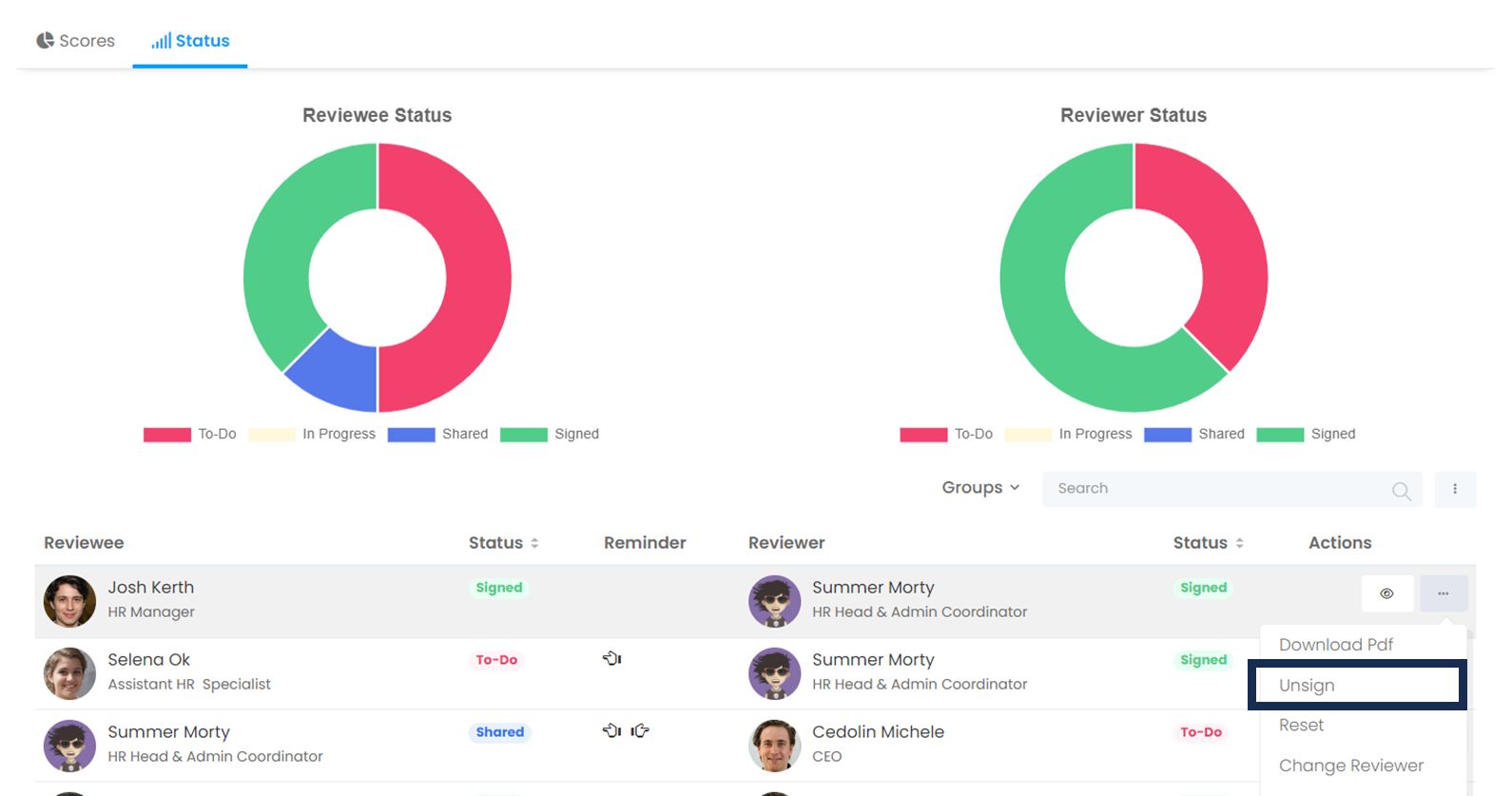
Once the signatures are made, the employee or manager cannot make changes to the evaluation form. However, in other cases, the admin has the authority to remove the signature of the evaluation and reopen it for evaluation. For this
More > Administration > Cycle Management > Relevant Period Reports
Find the relevant evaluator and click Remove Signatures in the evaluation row's actions menu. After the transaction is completed, the status of the evaluation will be shared between both parties. The signature score will return to , the evaluation score of the manager and employee will be reset, and the answers to the questions will not change.