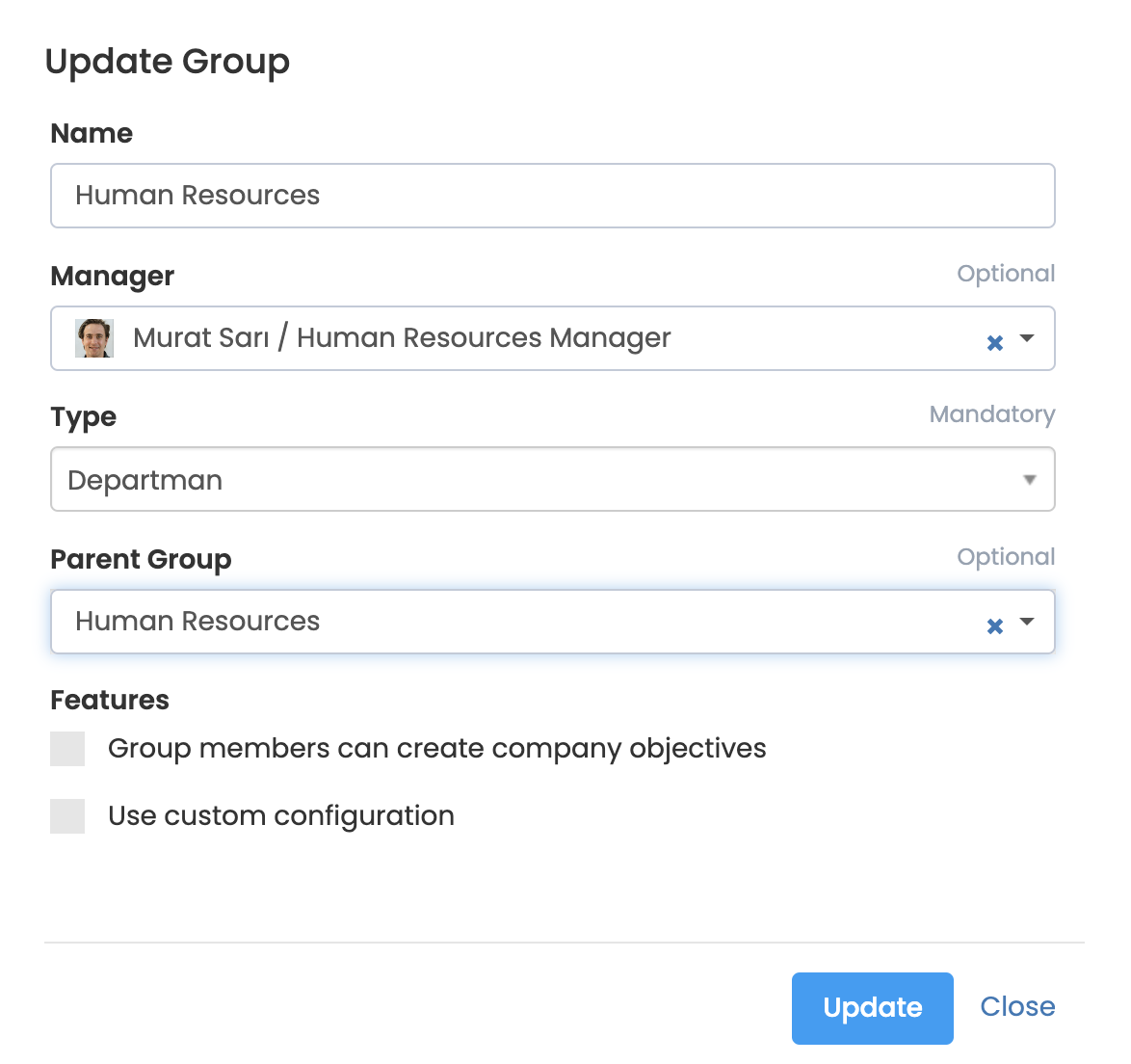
You can define the group administrator when creating a new group, or you can assign it to a previously created group. So how do we do this?
More > Administration > Groups
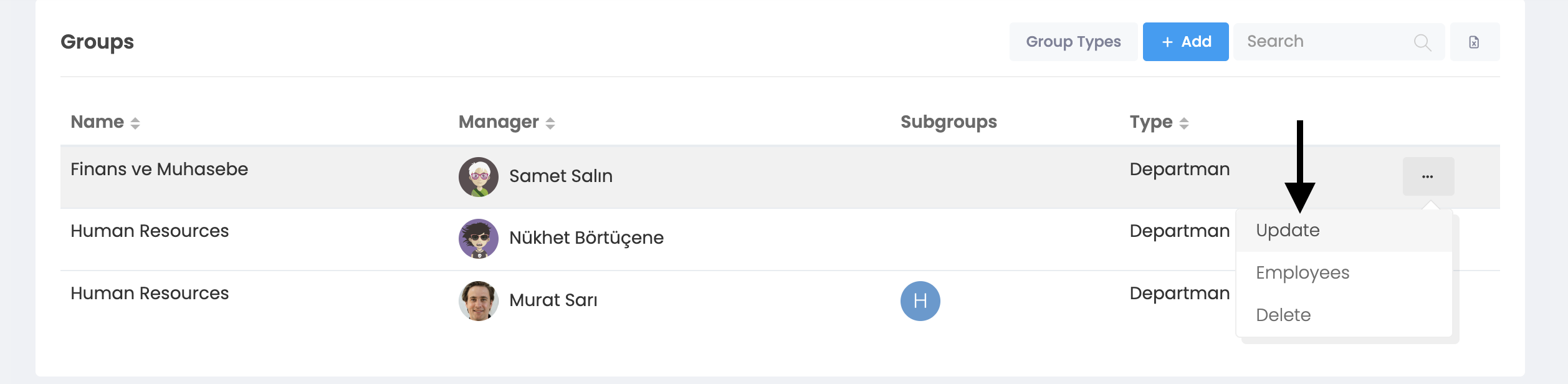
When you click on the Groups button, you will see this window. When you click on the 3-dot button at the end of the user line you want to make a "Group Administrator" and click on the "Update" tab, you will come to the "Update Group" screen below.
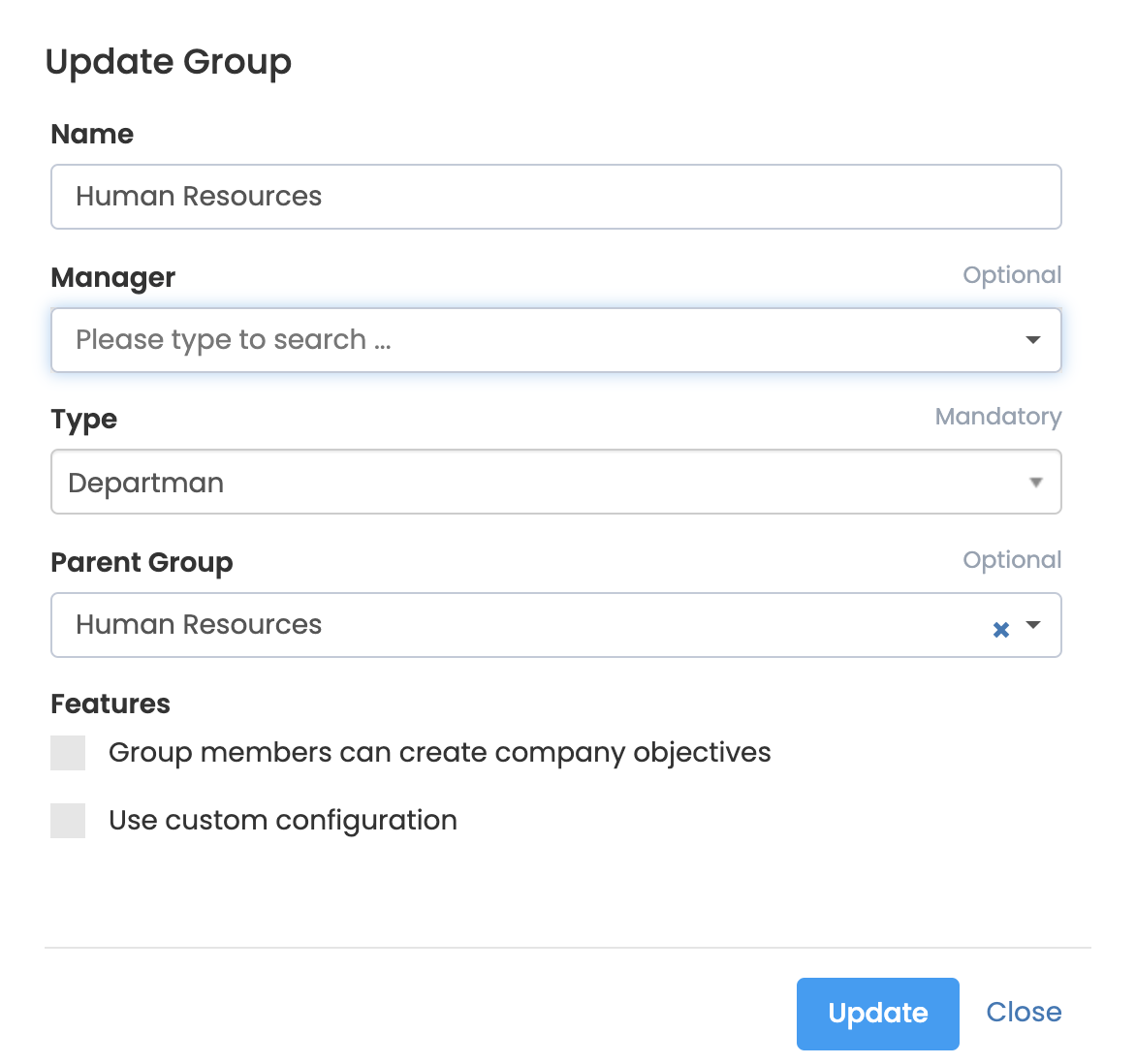
You can assign an administrator to the group by entering the "Name and Surname" of the administrator you want to assign to the "Write to call..." section under the Admin section. Then just click on the update button.
If there is a predefined group administrator under the administrator section, you will see the following screen. In this example, you can delete the user "Murat Sarı / Human Resources" by pressing "x" and continue the process by entering the name of the new user.