
You think there is a mistake in a group you created or you think you need to edit it. So how do we do this?
More > Administration > Groups
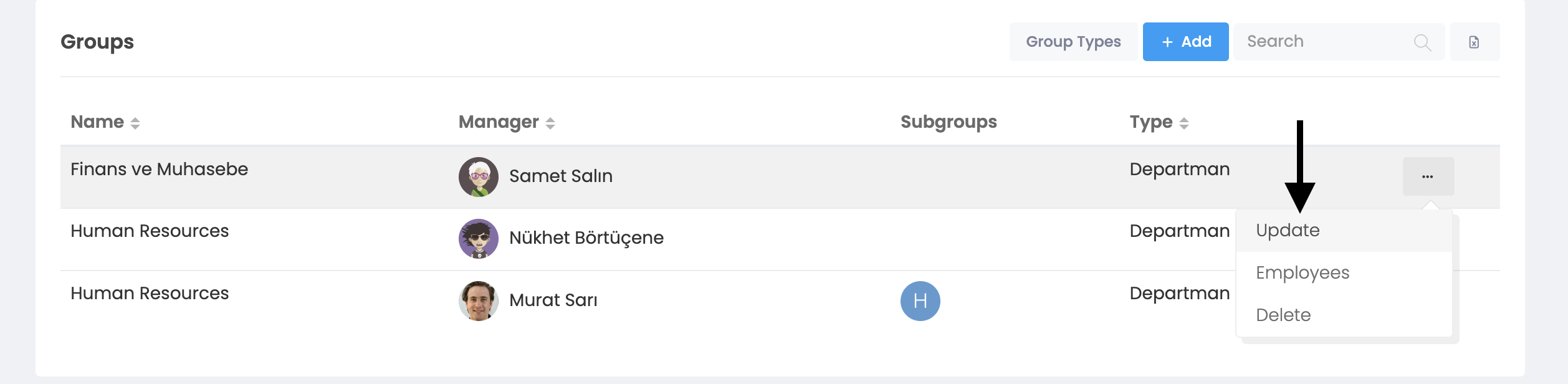
When you click on the Groups button, you will see this window. You can edit the "Name", "Administrator", "Type" and "Parent Group" information by clicking the 3-dot button at the end of the group line you want to edit.
- Name: You can update the name of the group.
- Executive: If you want, you can assign an administrator to the group. You can change the manager you appoint.
- Type: You can change the type of group.
- Upper Group: If you want, you can define the group under a parent group. You can change the parent group you define.
- Assigning Employees to Group: You can assign employees to relevant groups. For this you need to follow the steps below.
More > Management > Employees
You can update by clicking on the user account you want to assign. You can assign to one or more groups.
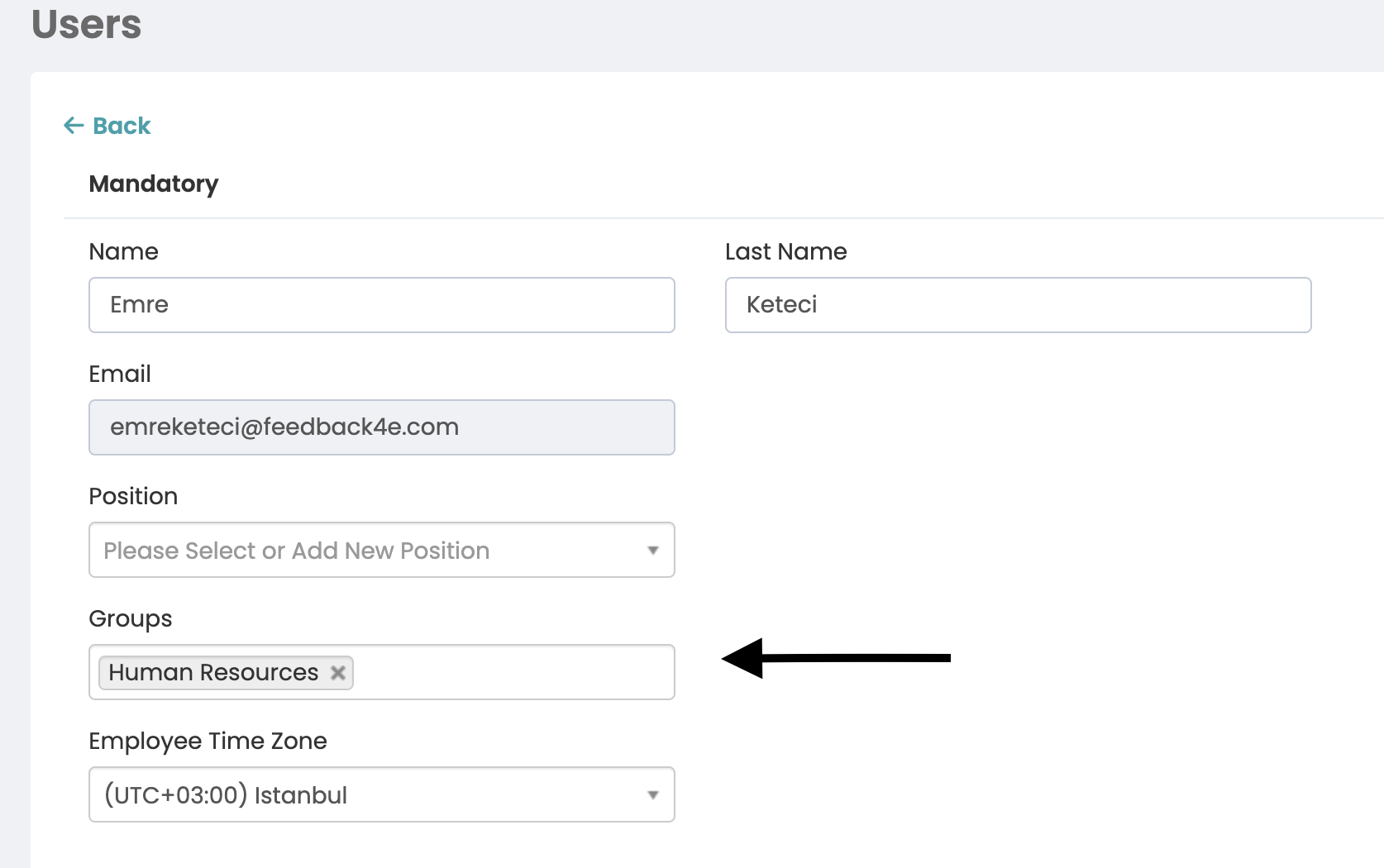
After clicking on the user account, you need to add the groups you want to be included in the "Groups" tab as shown in the photo and press the "Update" button.