
Groups are the necessary building blocks to create the organizational hierarchy of the institution.
Before you can assign employees to departments or teams, you need to create their groups. So how do we do this?
More > Administration > Groups > Add
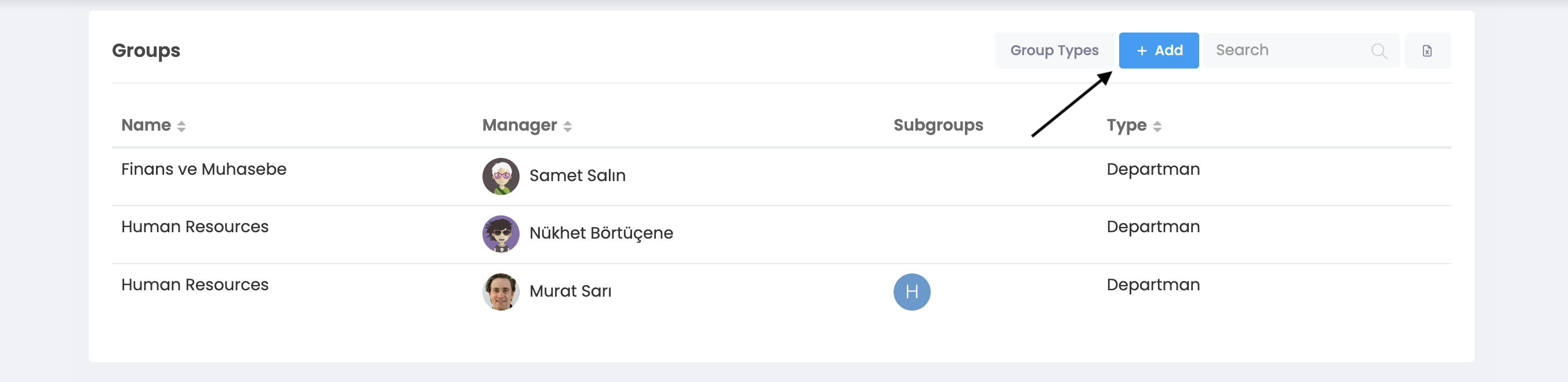
When you click on the Add button, you will see the following window.
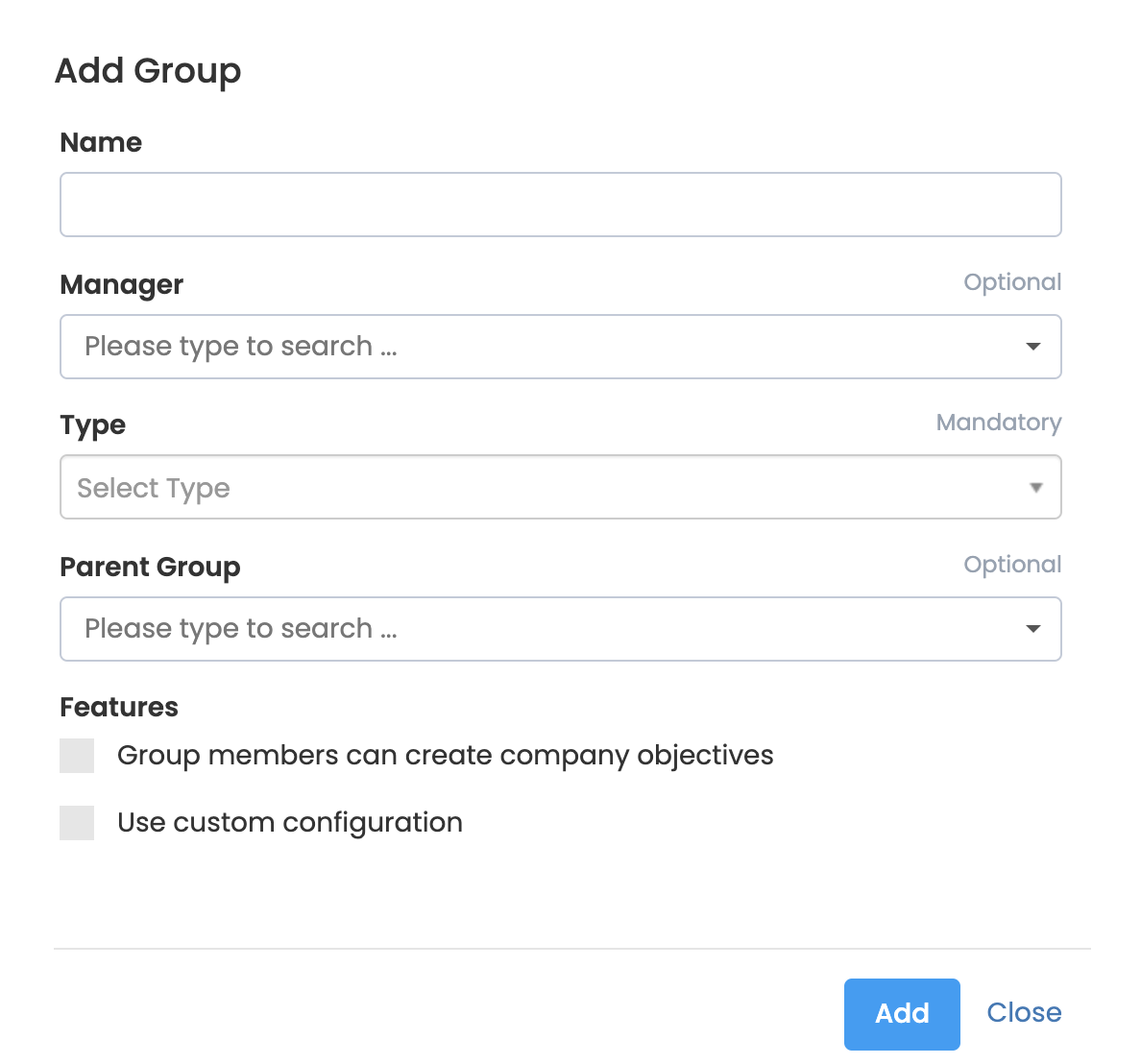
- Name: You need to name your group.
- Executive: If you want, you can assign an administrator to the group. An employee can be an administrator of many groups.
- Type: You need to choose whether the group is a team, a department, or another division within the organizational structure. You can add it by typing a new type into the Type option. For example, if your institution has an "agile" organizational structure, you need to create groups of the "squad" type and assign employees to this group. Similarly, if you have project groups and you want to create and track goals on them, you need to create project groups in a horizontal hierarchy.
- Upper Group: If you want, you can define the group under a parent group. For example, this way you can create an organizational structure in a vertical hierarchy by connecting teams to departments.
After filling in the required sections, you will define the group by clicking the "Add" button.