
The performance evaluation process is a process that takes place between the employee and the manager. When creating a performance evaluation period, the evaluated (employee) and the evaluated (manager) are appointed according to the currently defined organizational structure. For this reason, when creating a period, you should make sure that the organizational structure is up to date.
After the cycleis created, the following redirection area will appear on the home pages of employees and managers.

The image above is the admin home page performance evaluation directing area. As you can see, there are different lines and directions for self-evaluation and team evaluation.
How does the process work?
- The manager or employee makes the evaluation and shares it with the other party. There can be no restriction on the system as to which one will share first. If you use scoring, the evaluation score(s) chosen by the employee in the self-evaluation form will be displayed by the manager after the form is shared. However, the score chosen by the manager for the employee cannot be displayed on the form shared with the employee at this stage.
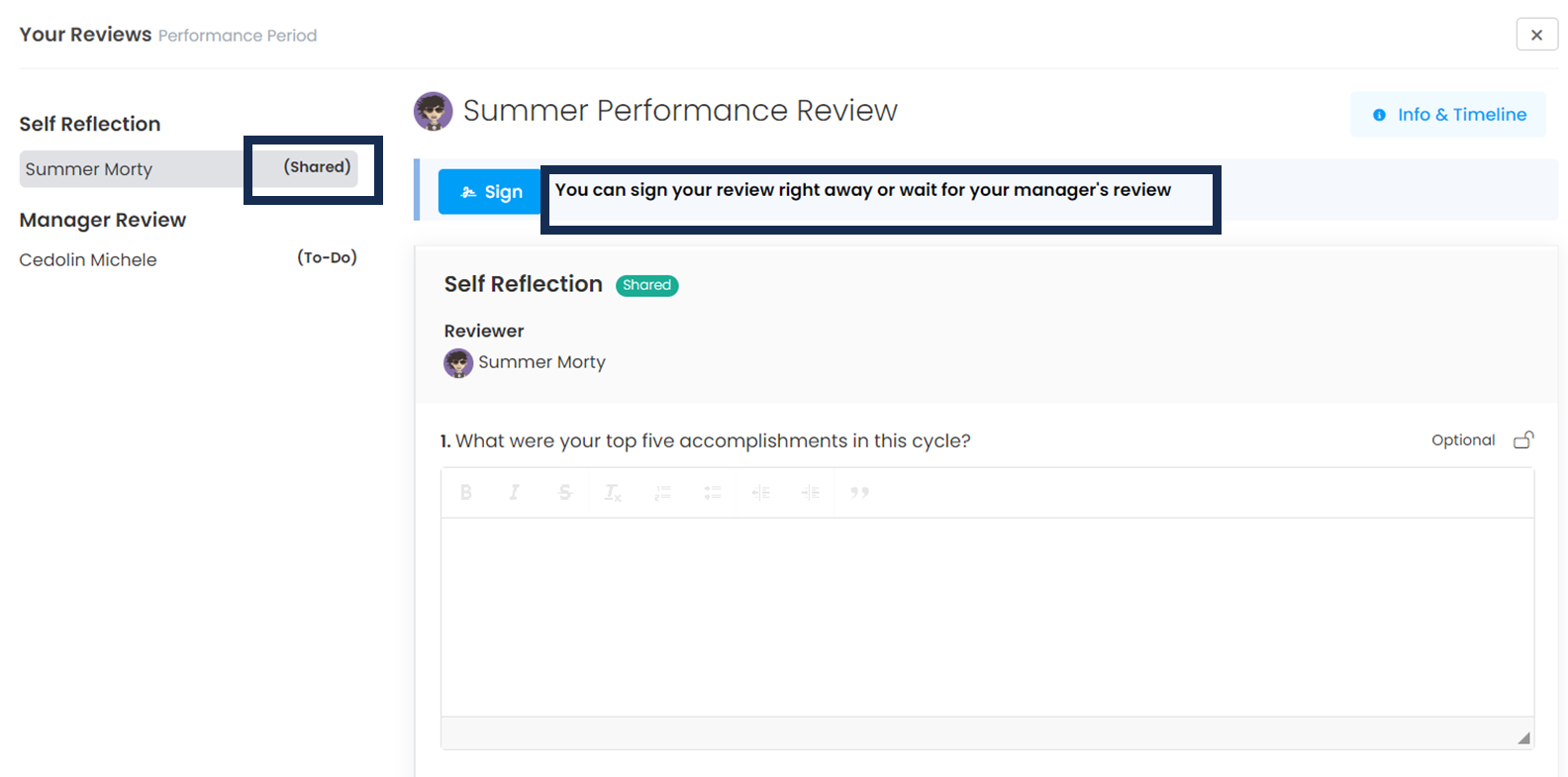
Above you see the form of the employee who shares his self-evaluation with his manager. In the next step, the platform informs the employee that he can sign the evaluation immediately or wait for the manager to share his evaluation to sign.
- After both parties share the evaluation form, the signature process begins. You need to define the dates when the signature process will start and end in the period settings. The purpose of the signature process is to create space for calibration. During this process, managers are expected to come together, review the evaluations and calibrate them.
- After calibration, the signature process begins. When scoring is used, the manager enters the calibrated score in the signature form and shares it with the employee. The evaluation score shared with the signature is now displayed as the final score by the employee.
The image below shows the screenshot of the manager signing the evaluation form of his/her subordinate employee. The manager can also sign the form without waiting for the employee to sign the self-evaluation.
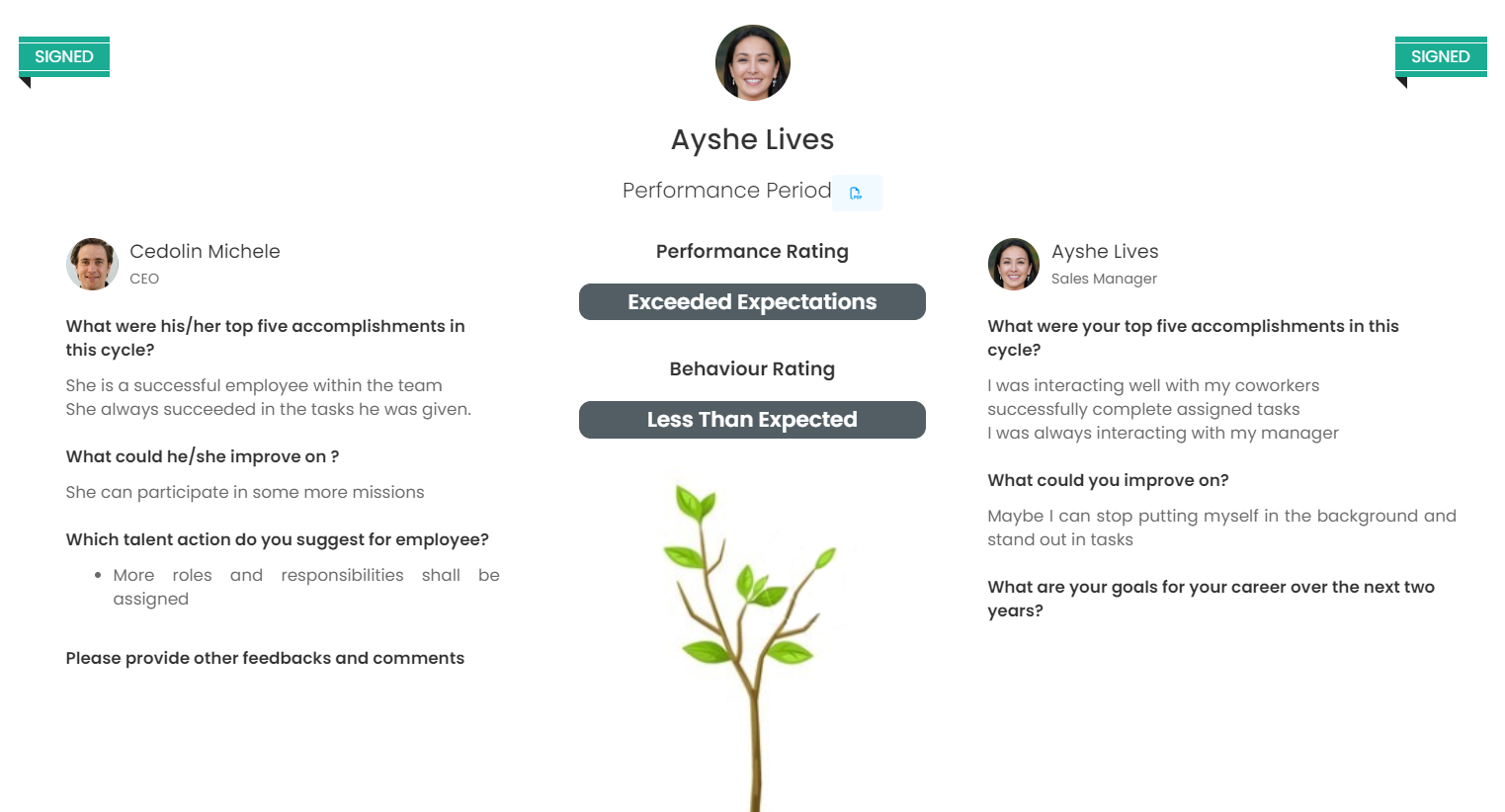
Once the signature is made, it cannot be withdrawn and no changes can be made to the form. The platform warns users that they cannot make changes. However, in other cases, system administrators can remove the signatures on the evaluation form and open it to users for re-evaluation.
If you are using scoring, 3 points will be generated throughout the process.
- Employee Score --> The employee enters. Can be viewed by manager, employee and HR.
- Manager Score --> The managers enters. Can be viewed by manager and HR.
- Calibration Score--> The manager or HR enters. Can be viewed by manager, employee and HR. This score is the final score that will be valid for the employee. Even if the manager does not change the score, he/she must enter the signature score. If not, there will be no final score.
We recommend that this last step be done during a 1-1 conversation between the manager and the employee.