
The homepage provides summary headings that direct you to your responsibilities and other modules within the platform. To go to the home page, just click on the "F4e" icon in the upper left corner. You can view the summary status of active objectives on the home page, where you can view all the information you need. So how can you do this?
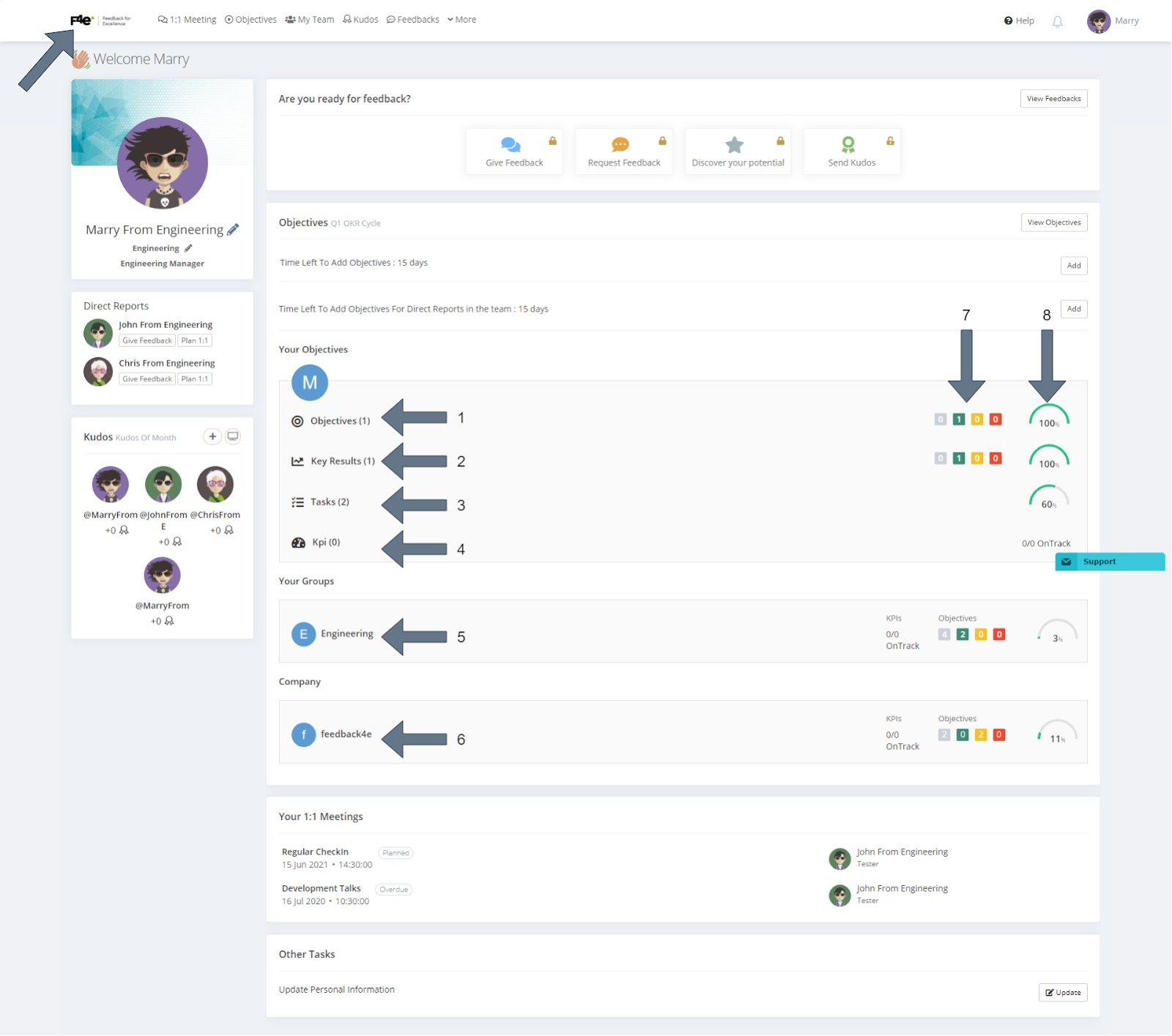
1. Your Objectives
You can view your objectives you are responsible for here. At the end of the your objectives row, you can view the total progress of these objectives and their status.
2. Key Results
You can view the key results you are responsible for here. At the end of the key results row, you can view the total progress of these results and their status. Key results assigned to you from group objectives or other colleagues' objectives will also be listed in this area.
3. Tasks
You can view the tasks you are responsible for here. At the end of the tasks row, you can view the total progress of these tasks.
4. KPI
You can view the KPIs you lead here. At the end of the Kpi row, you can view the status of these kpis.
5. Group Objectives
You can view the groups you are in from here. At the end of the group row, you can view the progress and status of these groups.
6. Company Objectives
From here you can view the objectives of the company you are in. At the end of the company row, you can view the progress and status of the company's objectives.
7. Objective Risk Status
Gray: Shows the number of unchecked destinations.
Green: Indicates that goal progress is on track.
Yellow: Indicates that goal progress is risky.
Red: Indicates that target progress is deviated.
8. Overall Progress
You can see the progress of your objectives in percentage. Overall progress is the average of the progress of all objectives below.