
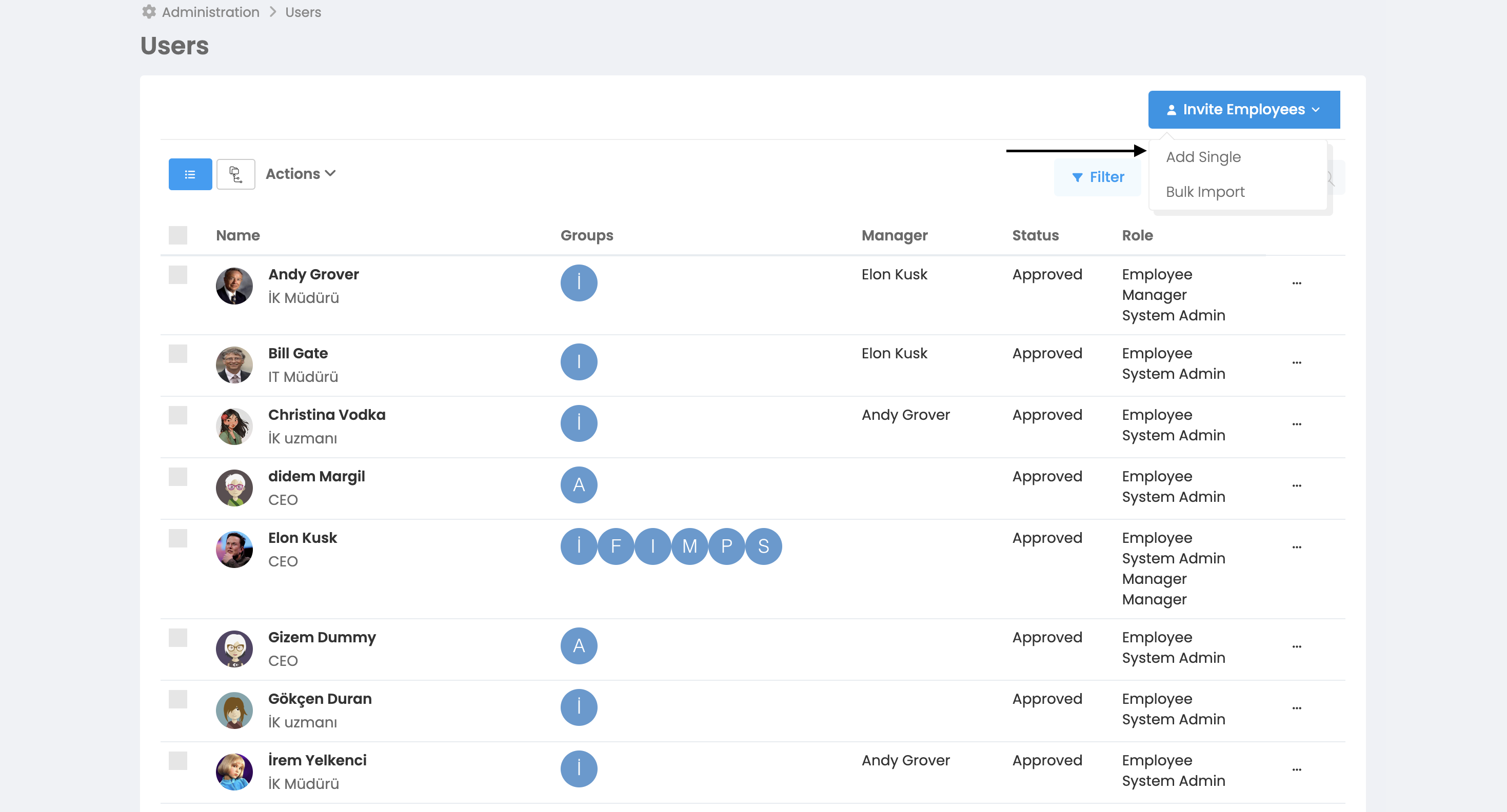
The first step in using the system is to load employees into the system. You can upload employees individually to the system.
How do we do this?
More > Administration > Employees > Add Employee > Add Single
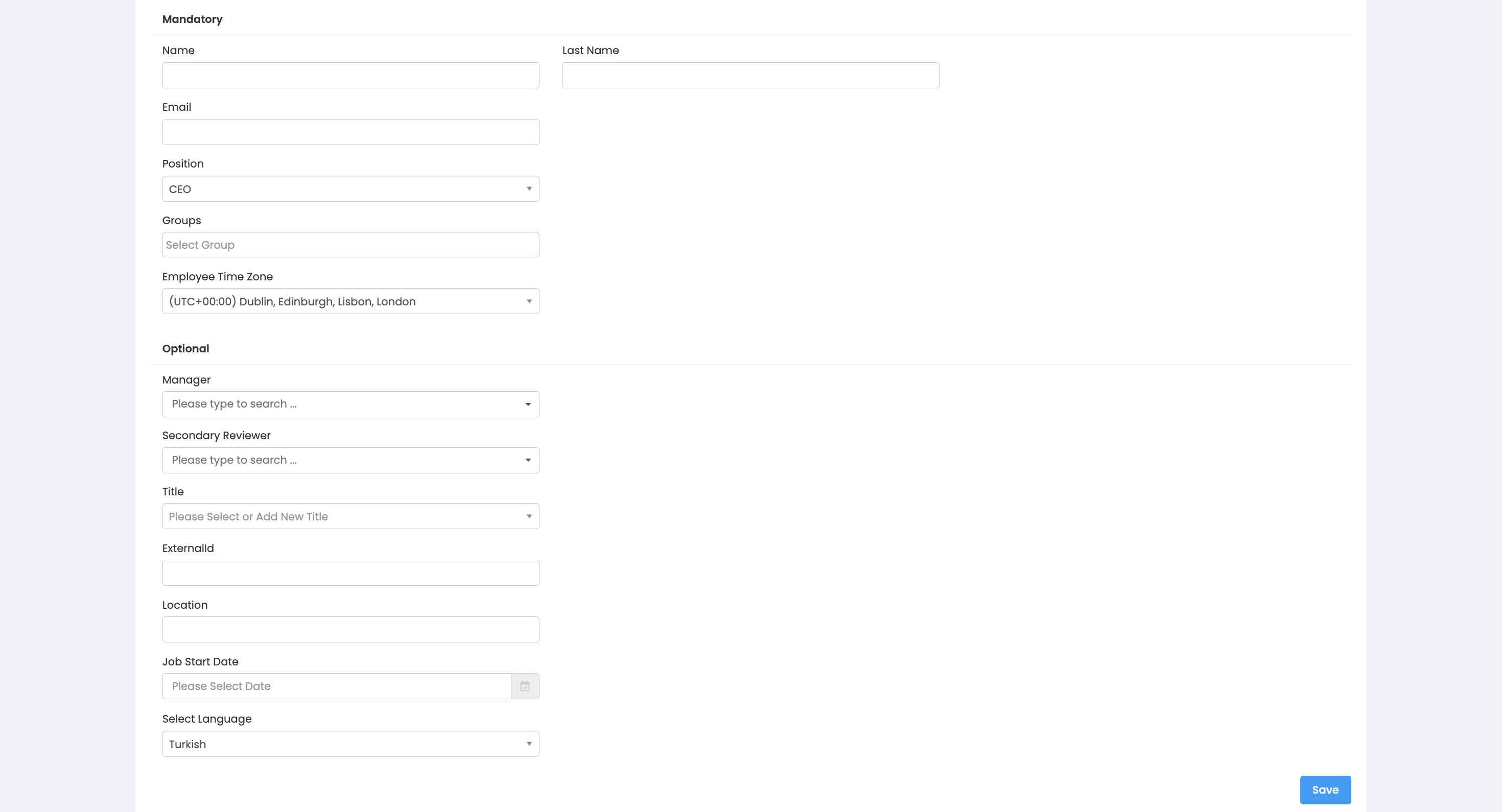
Mandatory
Name
Last name
Position
Group (not mandatory at first login, can be selected after the user is defined to the system)
Time Zone
Optional
Executive
Matrix Administrator
Business Unit
Title
Registration Number
Work Start Date
Select Language
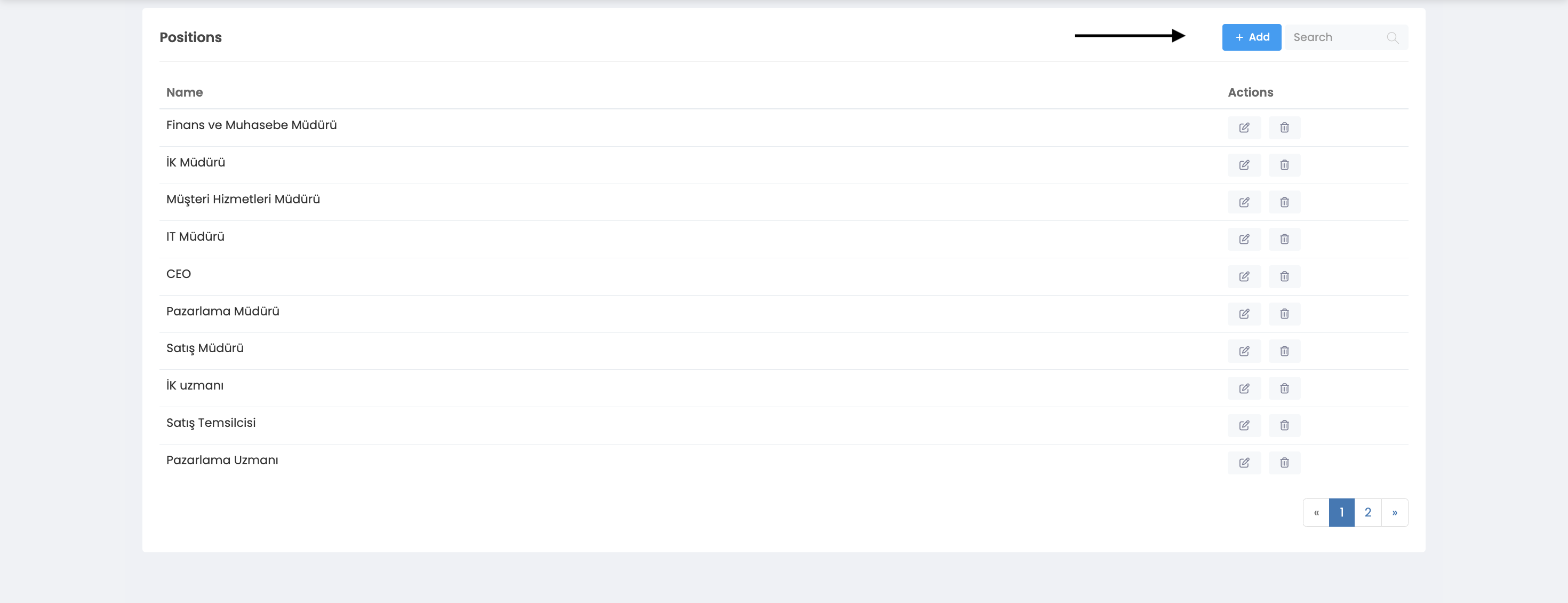
In order to fill in the position, group, manager, matrix manager, business unit and title properties, the user must be defined to the system. If an employee has been uploaded before using the "Add Bulk Employee" button, you can choose from the options defined about these features in the system. If no definition has been made before;
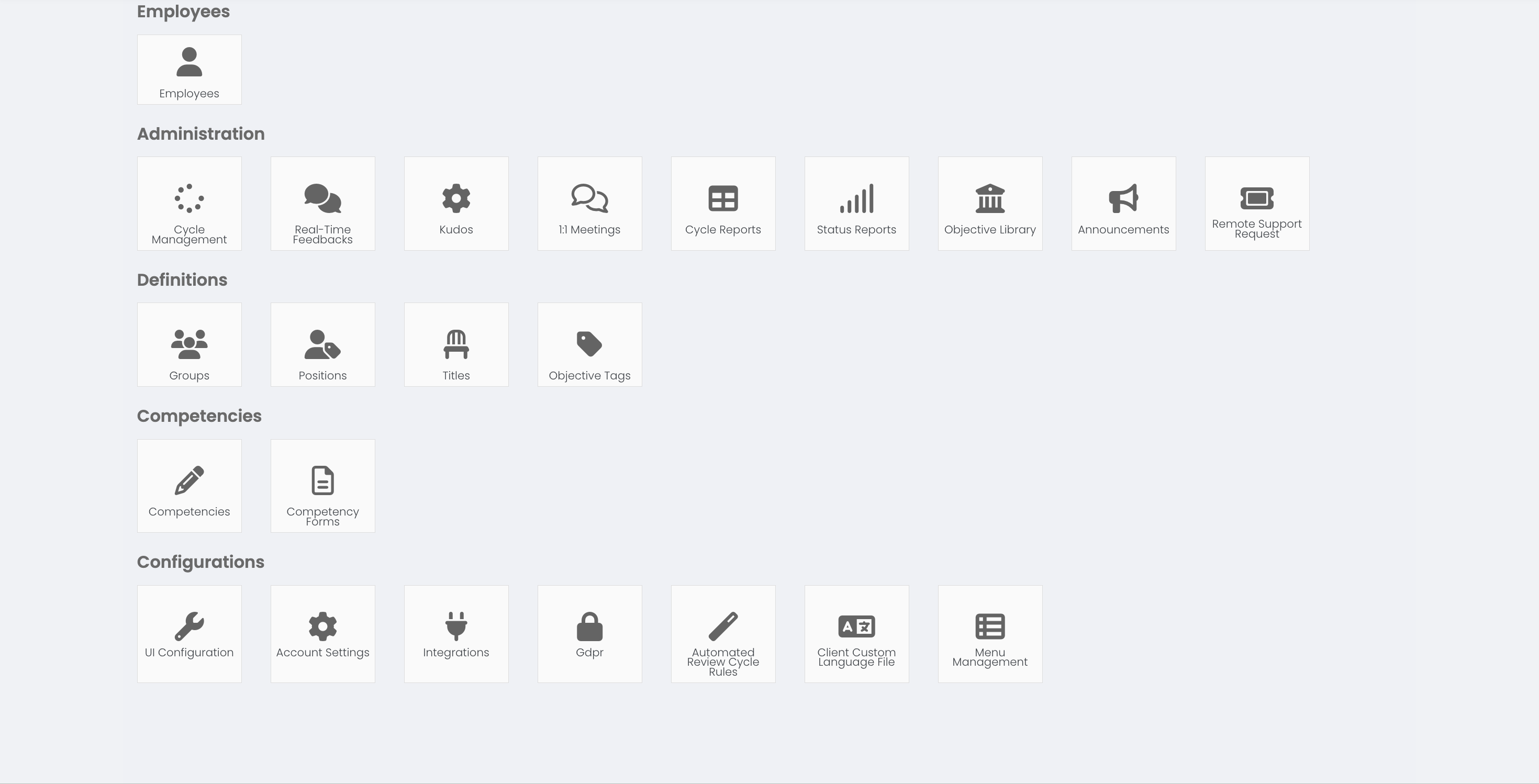
When you click the administration panel, you can view the features you need to create before adding single employees, such as groups, positions, business units, titles. To do this, simply click on the required feature and press the "Add" button on the right.
How is my license affected when a new user is added?
Each user counts as a single license as soon as they are added to your account. You will not be allowed to add more users than your allowed license limit. To increase your license limit, contact support@feedback4e.com.
Note that only active users are charged, so when an employee leaves, be sure to deactivate their account. When disabled, the user will not be able to log into their account, but their data will be retained.
Why should every user have a unique email address?
Each user account must be assigned to a unique email address that does not exist in your company account. This includes archived/inactive users. If you can't add a new user due to an "already existing email address", make sure no active or inactive employees are using that email address. You can reactivate the deactivated user or change their email address.