
How Can I Access Business Objectives Reports?
You can track the status of active objectives and access reports. For this;
More > Administration > Cycle Management > Reports (Click on the report icon for the cycle)
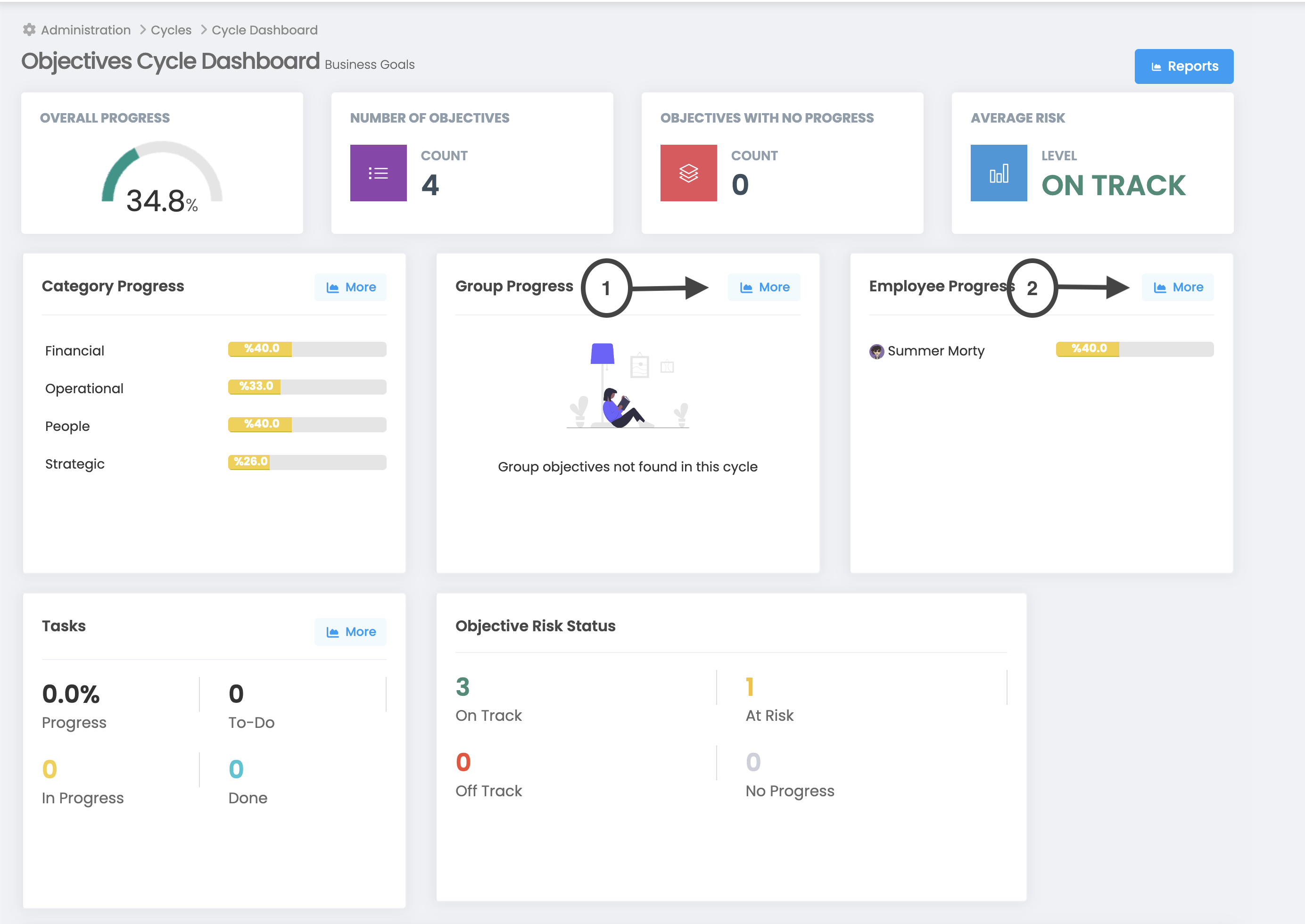
1. Group Based Progress Report: This is the report where group targets are listed.
2. Employee Based Progress Report: This is the report that lists employee targets.
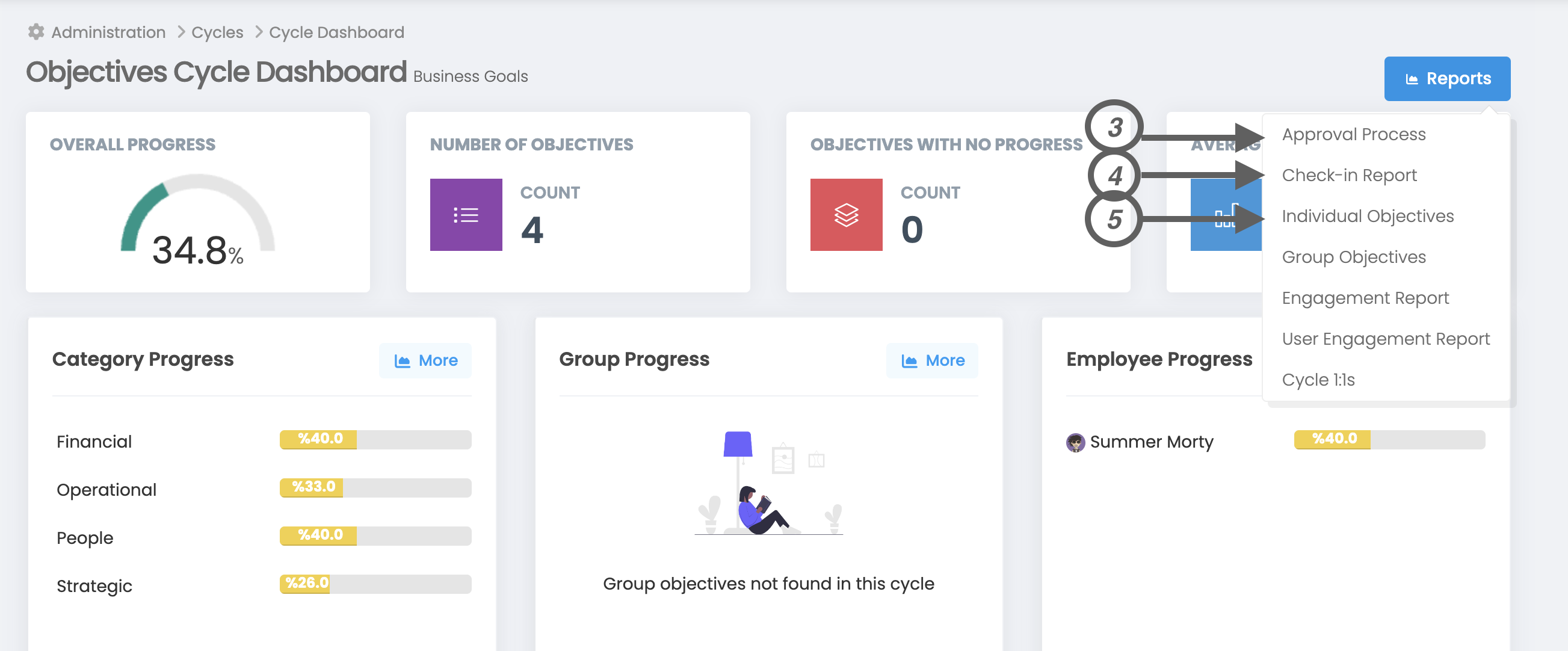
3. Approval Process: If you have activated the "Approval Process" in the cycle settings, you will access the detailed report on the approval process.
4. Check-In Report: This is a report that shows how often users check-in.
5. Individual Objectives: This is the report shown in the example.