How does the objective approval process work?
You may want to use an approval mechanism for your business objectives. To do this, you need to enable the approval process box in the Timing section in the business objective cycle settings.
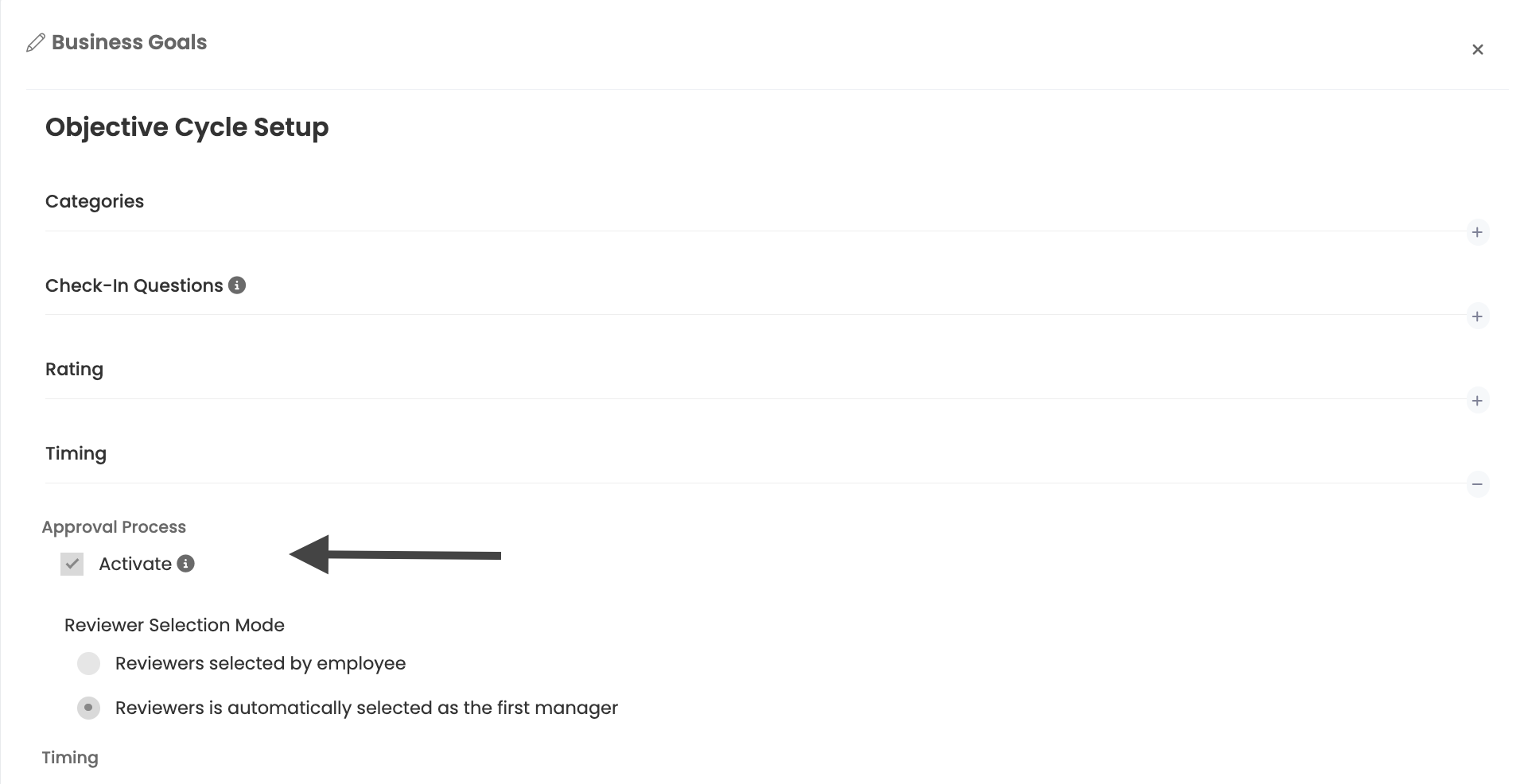
You will be presented with 2 options.
- Reviewers to be sent for approval are selected by the employee
- Reviewer to be sent for approval is the employee's 1st manager
While the first option is more flexible and gives initiative to the employee, the second option ensures that the objective is sent only to the 1st Manager for approval, without leaving an alternative option to the person creating the objective.
When the approval process is activated, managers do not create objectives on behalf of their subordinates. Objectives are created only by employees and sent to managers for approval.
How Approval Process Flow Works
When the approval process is activated, objective can be in one of 4 states
- Draft
- Approval
- Rejected/Returned
- Approved
In the diagram below you will see how these 4 stages are related
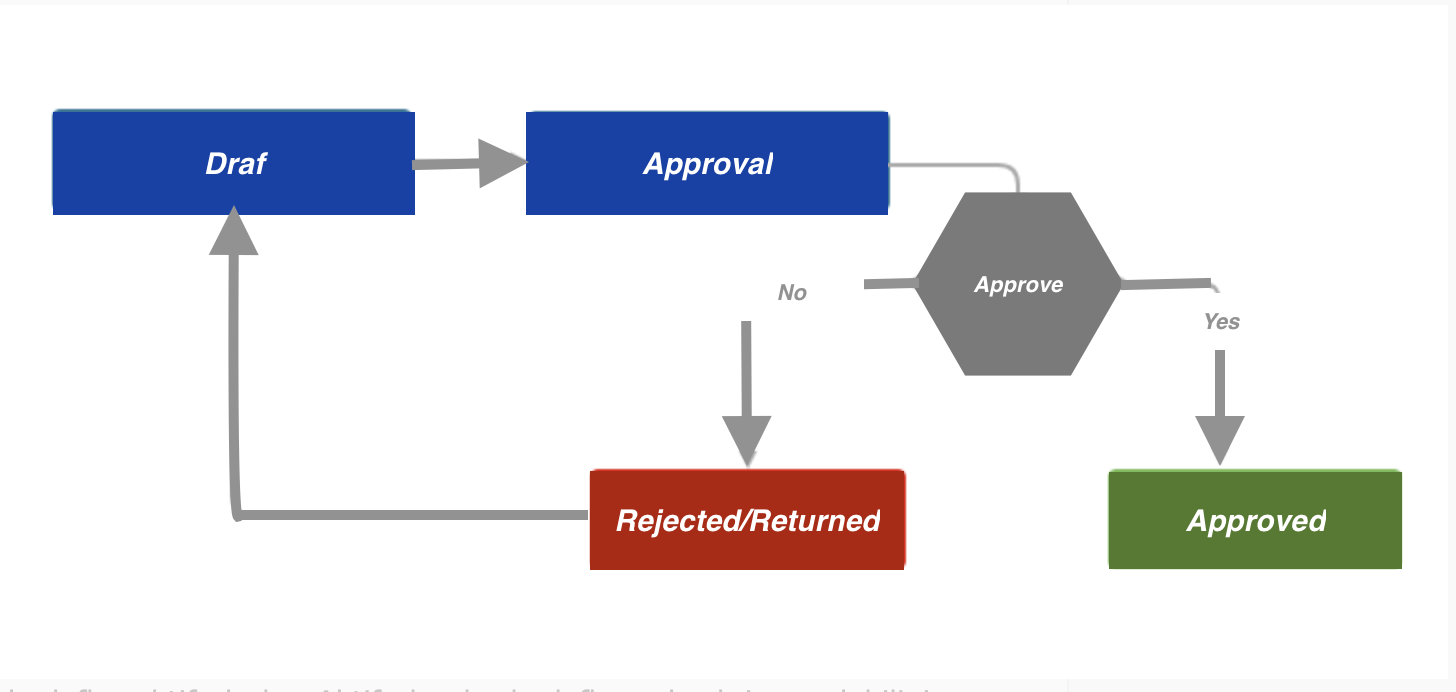
Only approved objectives become active. These active destinations can be checked in and viewed by other users. If you are using a scoring system for objectives, only approved objectives can be scored. You can follow which users' objective are in their approval process and their status in the approval process report.
How will objectives be submitted for approval?
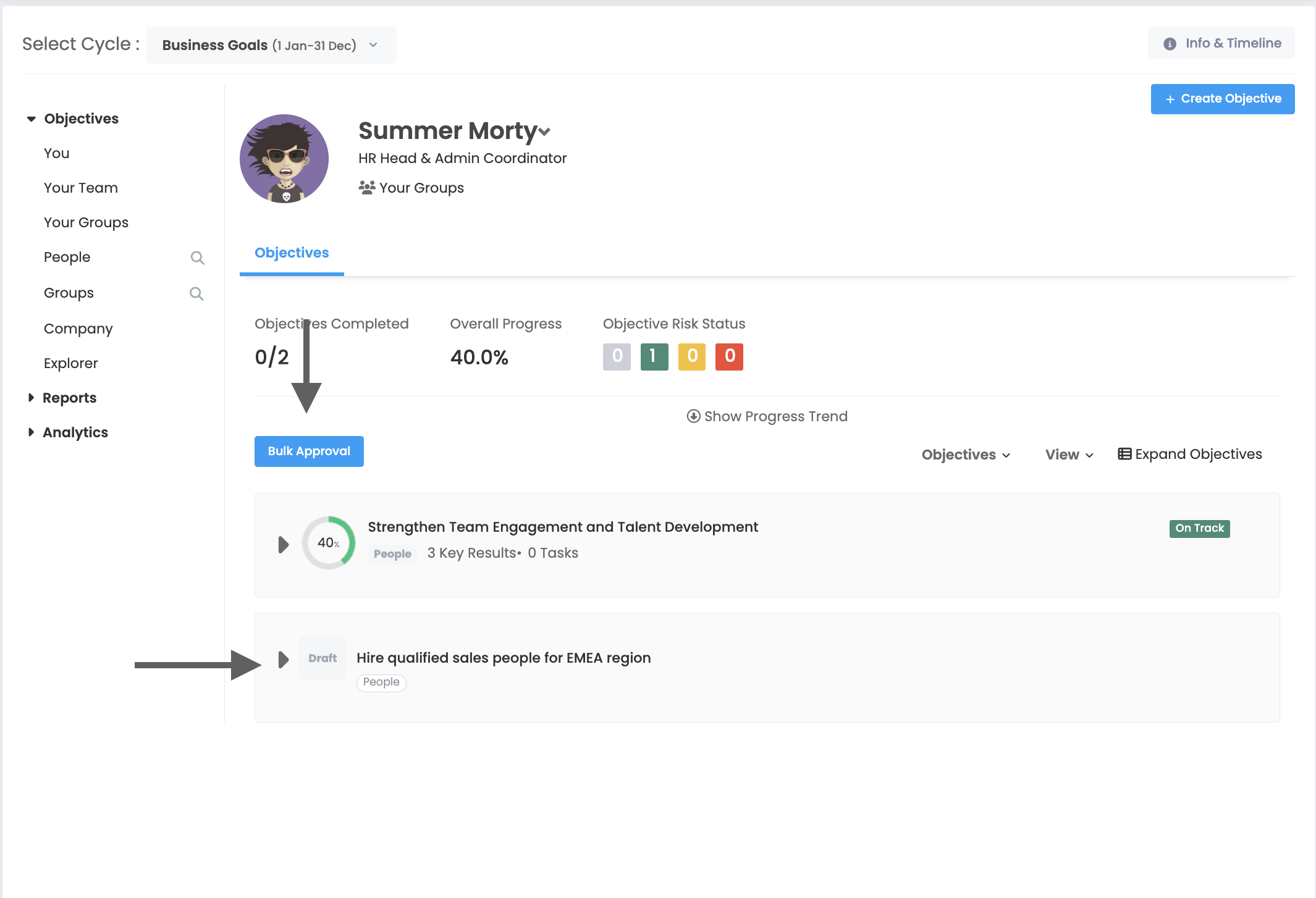
After creating a draft of your objectives, it will be enough to press the Bulk Approval button for bulk approval on your objectives page. The platform will only send draft objectives for approval; approved objectives will not be subject to approval by the manager.
How do I approve objectives as a manager?
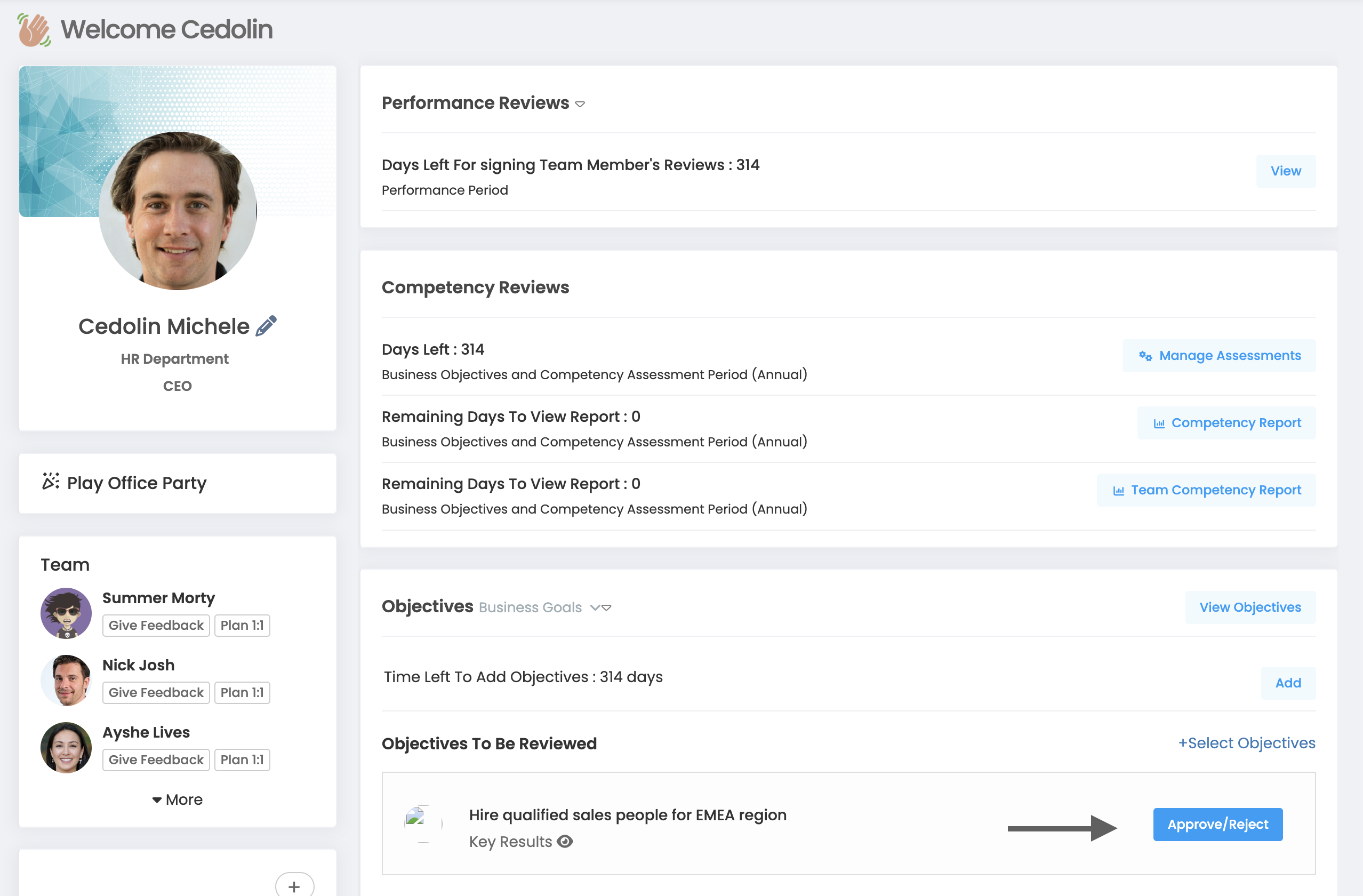
On the home page you will see the objectives sent to you for approval. You can take the necessary action by using the approve/reject button next to them. If you want to send it back, you'll see a note field explaining why. You can add a note to this field that will be forwarded to the person who created the objective.
As a manager, can't I bulk-approve objectives?
Of course you can confirm. Click "Select Objectives" above the objectives to be reviewed approval section on the home page.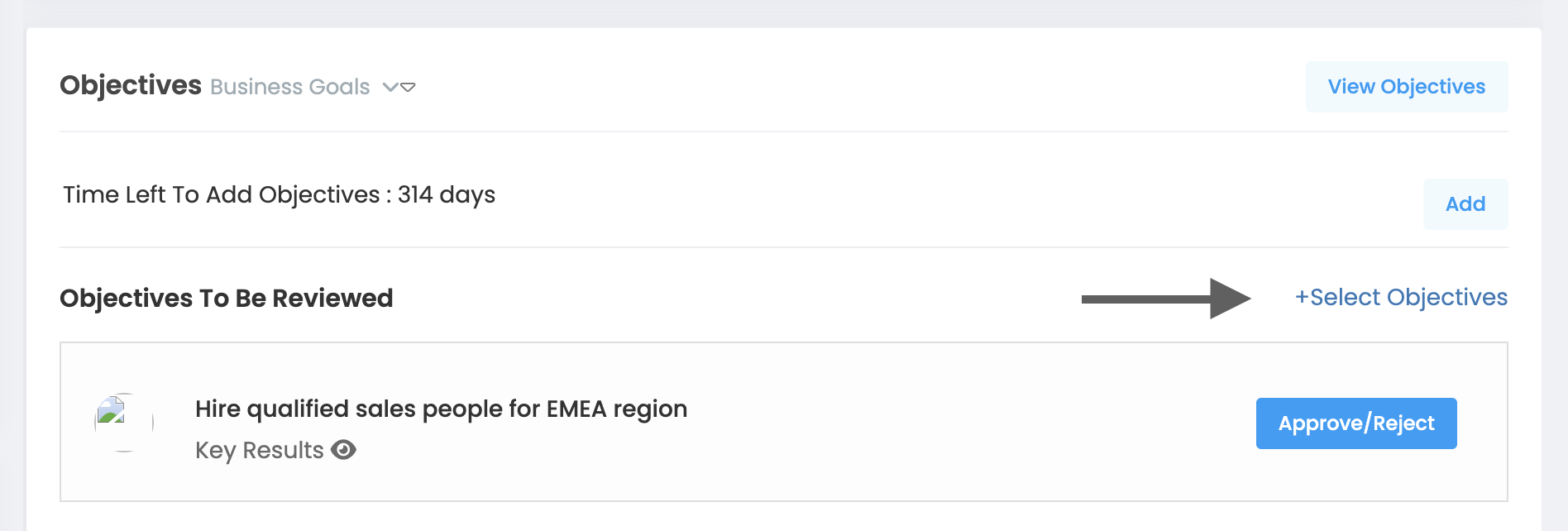
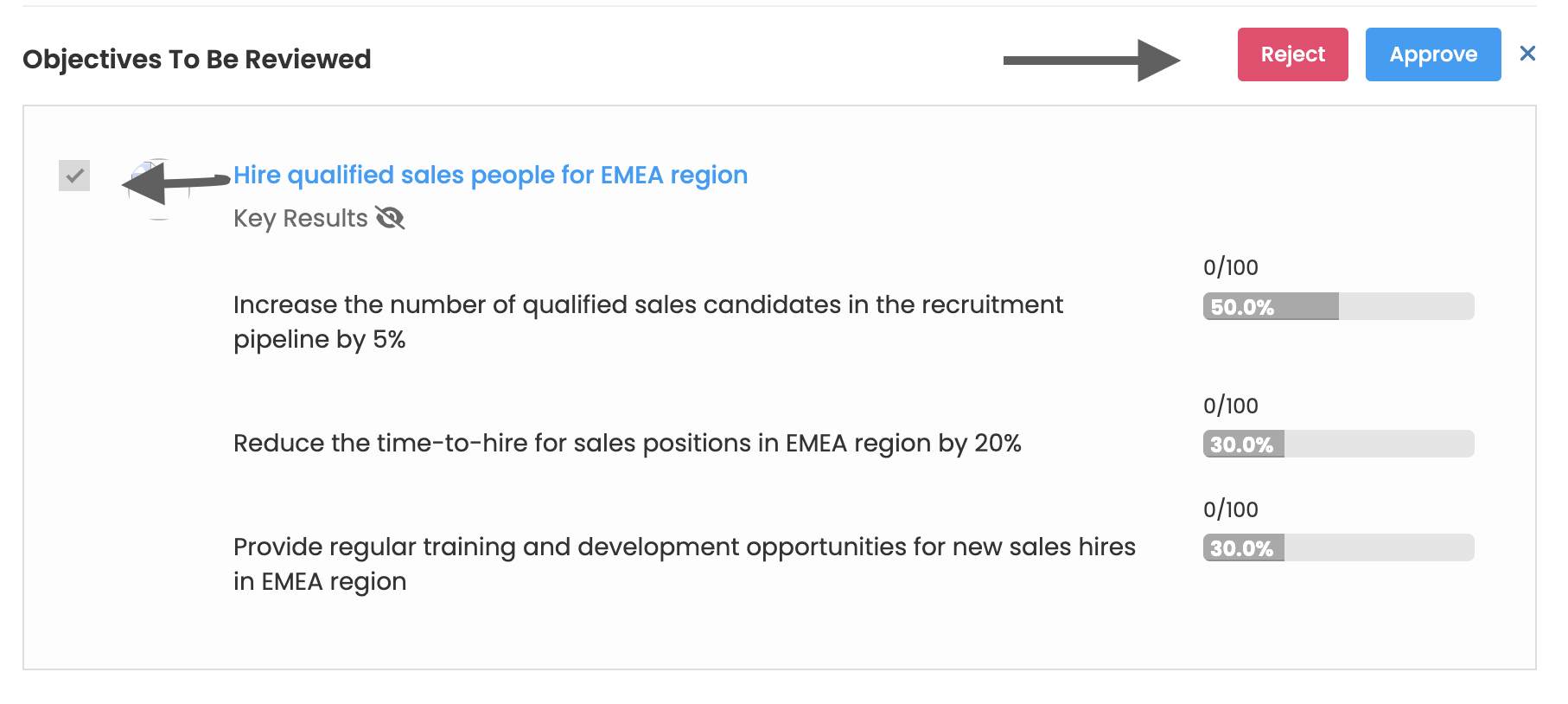
Select the objectives you want to approve or reject using the boxes next to them. Then click the Approve or Reject button.
Can't update a Returned/Rejected or approved target? What should I do?
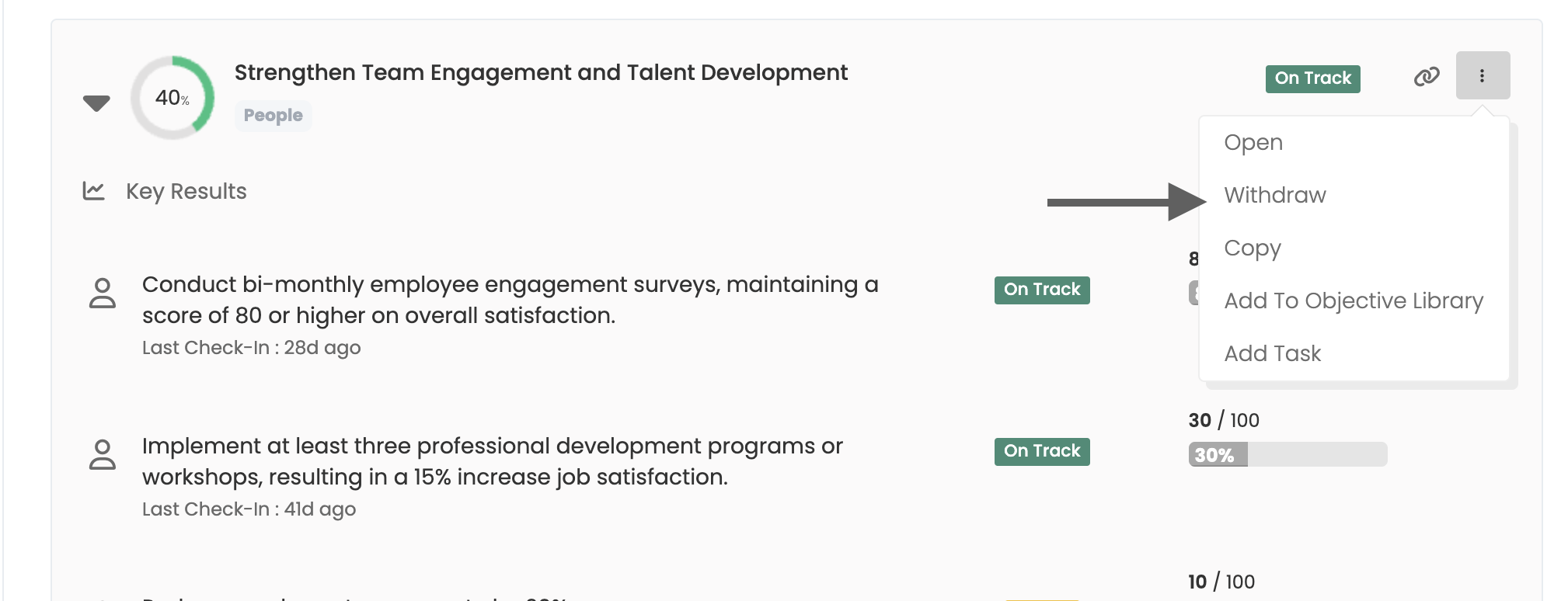
Before you can update the objective, you need to bring it back to draft. For this you have to pull the objective back. You can only withdraw (draft) and update the objective until the last objective addition/update date defined in the cycle timing. You will then need to submit it again for approval.
On the objectives page, you must click on the withdraw link of the objective you want to withdraw from the operations menu.