
Company objectives can only be added by the admin user. So how can we create company objectives?
Business objectives > Create Objective
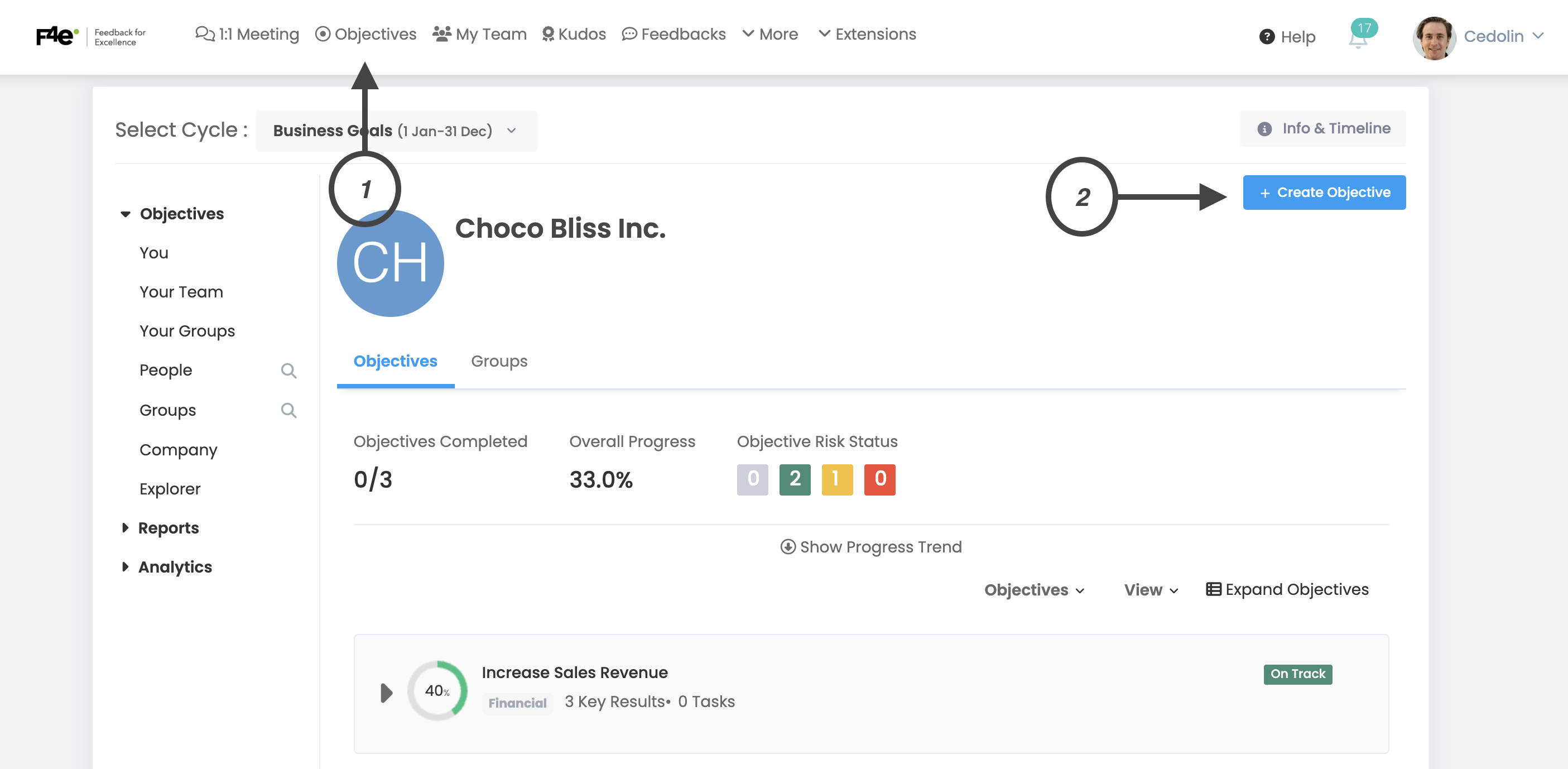
When you click the Create Objective button, the following window will open.
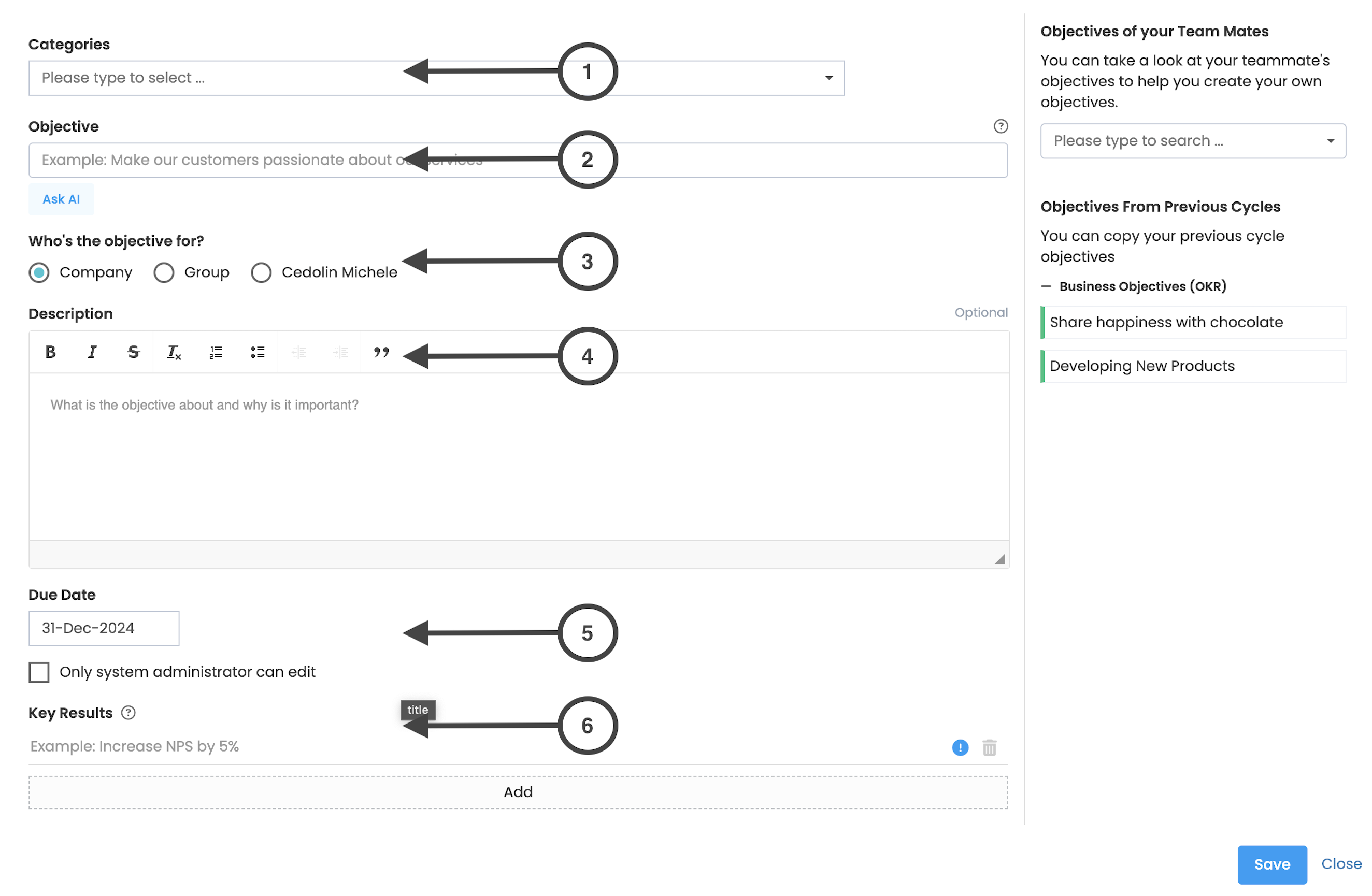
In the window that opens, you need to fill in the required fields to add an object. It says which fields are optional and which are mandatory.
1. Categories
Field where you can select one of the categories you defined when creating the period.
2. Objective
This is the area where you should write what the goal is.
3. Who is the objective for?
The field where you need to select the audience responsible for the goal. (Company, Group, Individual)
4. Description
Space where you can state a brief description of the goal and its importance. This part is optional, you do not have to explain if you think the goal is clear enough.
5. Due Date
Allows you to set the end date of the objective.
6. Key Results
You can create success criteria for the goals you set here.
Frequently Asked Questions
To see the company objectives, simply click on the company link on the left panel.
Company objectives are created only by admin users, and their updates and check-ins are made by admin users.
Company objectives are transparent and viewable by all employees participating in the objective cycle. Employees can comment on company goals, key results and check-ins, and follow key results.