
If you are thinking that the employee information that you have uploaded to the system is somehow wrong or not up to date, there are 2 ways to change it:
More > Administration > Employees
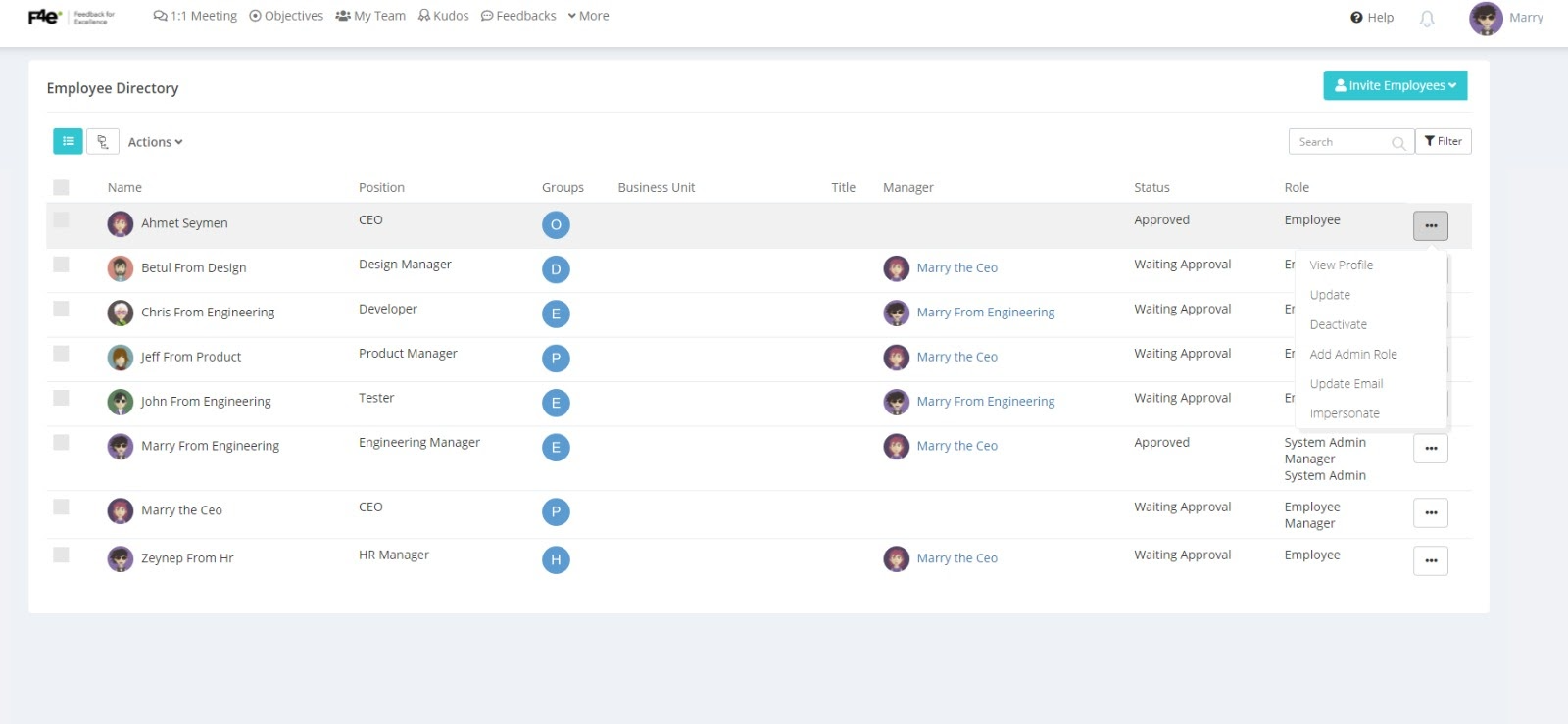
When you land on this page, you can click the 3 dots and hit update to change the information.
The 2nd way is to import employees by bulk upload.
Import Employees by Bulk Upload
You can update employee information as a group too. Any employee whose information needs an update should be listed in the excel file used in Uploading Employees.
For this go to the page by :
More > Administration > Employees > Add Employee > Bulk Upload
Download the Template and put in the email and the updated information only for the employee you who needs an update.
Do not forget the email addresses for each employee as this is a required field; the system does the matching by the employee address.
You can drag and drop the Excel file to start the updating process